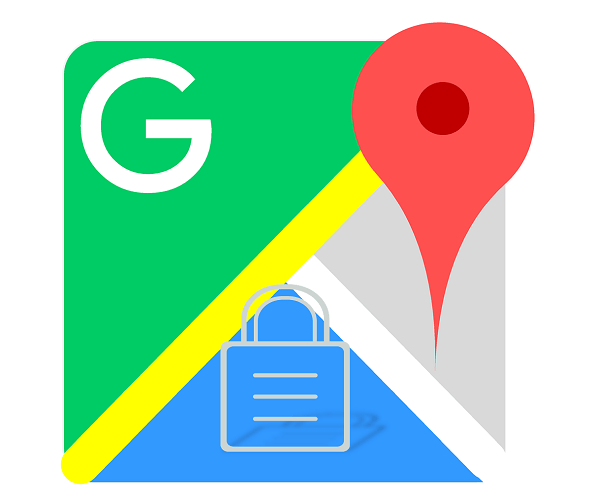
Google Maps gets incognito mode for more privacy


Although Google is known as well as other tech giants that they collect a huge amount of user data, which of course also explains the great success, but on the other hand, Google makes its users quite extensively possible to view the type of data collection, and also (at least in part) to limit.
Google Maps has also been re-evaluated for privacy, and will soon offer an incognito mode.
Google Maps gets incognito mode for more privacy
Although Google is known as well as other tech giants that they collect a huge amount of user data, which of course also explains the great success, but on the other hand, Google makes its users quite extensively possible to view the type of data collection, and also (at least in part) to limit.
Google Maps has also been re-evaluated for privacy, and will soon offer an incognito mode.
Storage of searched places on Google Maps can be deactivated
After Google introduced an incognito mode for YouTube at the beginning of 2019, it is now up to the Google Maps mapping service to adapt the requirements of users to data protection and to align it here.
The incognito mode can be activated by the user in the settings menu of Google Maps. As a result, information such as searched and visited places is no longer stored and used for personalized advertising and search results. According to Google, the update comes first for Android, and will soon follow for iOS.
Also, the privacy settings for the language assistant Google Assistant should be easier, said Google. In the future, saved voice commands that were last given can be conveniently deleted. All you have to do is just say: “Ok Google, delete what I said last to you”.

Although the feature with the language assistant comes in English, it should also be available in other languages in the coming months. Also, there is a new feature for the password manager, where on the one hand checks whether the password of the user in the past has ever been used for another Google Account, and also how strong the password is.
Incidentally, you can access the password manager at https://passwords.google.com/ where you can manage all passwords stored on Android and Google Chrome.
Even if you criticize the amount of data that tech companies such as Google collect, it’s exactly this data that makes the Google services we use every day possible in this quality.
The topic of data protection is becoming more and more important to us all, because more and more data is hovering around us everywhere. Therefore, it is also commendable that those who collect this data take responsibility, and provide us with the appropriate tools to (at least partially) to keep control of it.

Storage of searched places on Google Maps can be deactivated
After Google introduced an incognito mode for YouTube at the beginning of 2019, it is now up to the Google Maps mapping service to adapt the requirements of users to data protection and to align it here.
The incognito mode can be activated by the user in the settings menu of Google Maps. As a result, information such as searched and visited places is no longer stored and used for personalized advertising and search results. According to Google, the update comes first for Android, and will soon follow for iOS.
Also, the privacy settings for the language assistant Google Assistant should be easier, said Google. In the future, saved voice commands that were last given can be conveniently deleted. All you have to do is just say: “Ok Google, delete what I said last to you”.
Although the feature with the language assistant comes in English, it should also be available in other languages in the coming months. Also, there is a new feature for the password manager, where on the one hand checks whether the password of the user in the past has ever been used for another Google Account, and also how strong the password is.
Incidentally, you can access the password manager at https://passwords.google.com/ where you can manage all passwords stored on Android and Google Chrome.
Even if you criticize the amount of data that tech companies such as Google collect, it’s exactly this data that makes the Google services we use every day possible in this quality.
The topic of data protection is becoming more and more important to us all, because more and more data is hovering around us everywhere. Therefore, it is also commendable that those who collect this data take responsibility, and provide us with the appropriate tools to (at least partially) to keep control of it.
Popular Posts:

How AI fuels cyberattacks – and how it protects us from them
Cybercriminals are using AI for deepfakes and automated attacks. Defenses are also relying on AI: through behavioral analysis (UEBA) and automated responses (SOAR). Learn how this arms race works and how modern security strategies can protect your business.

Information overload: Protection & tips against digital stress
Constantly online, overwhelmed by news, emails & social media? Digital information overload leads to stress and concentration problems. Learn the best strategies and practical tips to effectively protect yourself, manage the chaos, and regain your focus.

Put an end to password chaos: Why a password manager is important
Passwords are constantly being stolen through data leaks. A password manager is your digital vault. It creates and stores strong, unique passwords for every service. This effectively protects you against identity theft through "credential stuffing".

Stop procrastinating: How distraction blockers can help you regain focus
Constant digital distractions kill your productivity. Distraction blockers like Forest or Freedom help you regain focus. They specifically block distractions on your PC and mobile phone and use techniques like the Pomodoro Technique. This helps you stop procrastinating.
Wer ist wo? Microsoft Teams schafft Klarheit im Hybrid-Büro
Die neue Arbeitsstandort-Funktion in Microsoft Teams zeigt, wer im Büro oder remote arbeitet. Verbessern Sie Ihre Meeting-Planung in Outlook und die Team-Koordination. Wir erklären die Vorteile, die Admin-Steuerung und die tiefe Anbindung an Microsoft Viva.

Excel Tutorial: How to quickly and safely remove duplicates
Duplicate entries in your Excel lists? This distorts your data. Our tutorial shows you, using a practical example, how to clean up your data in seconds with the "Remove Duplicates" function – whether you want to delete identical rows or just values in a column.
Offers 2024: Word & Excel Templates











Popular Posts:
How AI fuels cyberattacks – and how it protects us from them
Cybercriminals are using AI for deepfakes and automated attacks. Defenses are also relying on AI: through behavioral analysis (UEBA) and automated responses (SOAR). Learn how this arms race works and how modern security strategies can protect your business.
Information overload: Protection & tips against digital stress
Constantly online, overwhelmed by news, emails & social media? Digital information overload leads to stress and concentration problems. Learn the best strategies and practical tips to effectively protect yourself, manage the chaos, and regain your focus.
Put an end to password chaos: Why a password manager is important
Passwords are constantly being stolen through data leaks. A password manager is your digital vault. It creates and stores strong, unique passwords for every service. This effectively protects you against identity theft through "credential stuffing".
Stop procrastinating: How distraction blockers can help you regain focus
Constant digital distractions kill your productivity. Distraction blockers like Forest or Freedom help you regain focus. They specifically block distractions on your PC and mobile phone and use techniques like the Pomodoro Technique. This helps you stop procrastinating.
Wer ist wo? Microsoft Teams schafft Klarheit im Hybrid-Büro
Die neue Arbeitsstandort-Funktion in Microsoft Teams zeigt, wer im Büro oder remote arbeitet. Verbessern Sie Ihre Meeting-Planung in Outlook und die Team-Koordination. Wir erklären die Vorteile, die Admin-Steuerung und die tiefe Anbindung an Microsoft Viva.
Excel Tutorial: How to quickly and safely remove duplicates
Duplicate entries in your Excel lists? This distorts your data. Our tutorial shows you, using a practical example, how to clean up your data in seconds with the "Remove Duplicates" function – whether you want to delete identical rows or just values in a column.
Offers 2024: Word & Excel Templates