Anzeige


Transparenz: Um diesen Blog kostenlos anbieten zu können, nutzen wir Affiliate-Links. Klickst du darauf und kaufst etwas, bekommen wir eine kleine Vergütung. Der Preis bleibt für dich gleich. Win-Win!

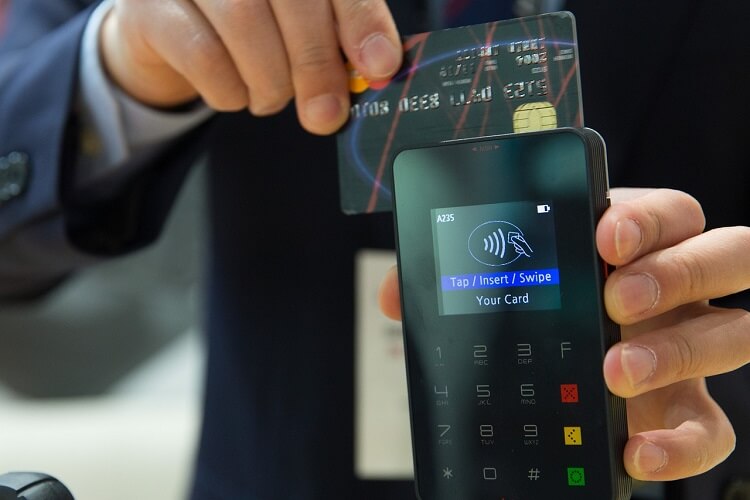
The most important tips for online banking

The number of participants in online banking is growing, and is enjoying increasing enthusiasm.

In the year 2018, 50% of Germans now have online access to their checking account. Nevertheless, on closer examination, the proportion has grown by only about 5% in the past 5 years. The reasons for this are among others, often the recurrent reports about security vulnerabilities, or stolen records. Of course, this does not necessarily create trust among customers.

In part, however, it is also the case that the users even by ignorance, or negligence, your data in the hands of scammers, or at least make it easy. In our article, we would like to point out the most important points from our point of view, so that you can do your money conveniently and, above all, safely from home.
The most important tips for secure online banking

Topic Overview

Anzeige

The most important tips for online banking

The number of participants in online banking is growing, and is enjoying increasing enthusiasm.

In the year 2018, 50% of Germans now have online access to their checking account. Nevertheless, on closer examination, the proportion has grown by only about 5% in the past 5 years. The reasons for this are among others, often the recurrent reports about security vulnerabilities, or stolen records. Of course, this does not necessarily create trust among customers.

In part, however, it is also the case that the users even by ignorance, or negligence, your data in the hands of scammers, or at least make it easy. In our article, we would like to point out the most important points from our point of view, so that you can do your money conveniently and, above all, safely from home.

The most important tips for secure online banking

Topic Overview

Anzeige

1. Overview of the TAN procedure

1. Overview of the TAN procedure

After many attempts by the banks, the following procedures have now been established:

  • The iTan procedure

Here you will receive from your bank a list in paper form by mail, on which the TANs (transaction numbers) are numbered consecutively. For each transaction (such as a transfer), you will be prompted to enter a specific TAN from the list for the transaction in question.

When the process is finished, the TAN is also used up and can not be used a second time.

Although this process is still used by some banks, it is actually considered obsolete and not very secure because iTan is not bound to the details of the transfer such as: IBAN, amount or date.

If you are still using this procedure, we recommend that you ask your bank what procedures are still available.

  • Mobile TAN (SMS TAN)

This process is a bit more complex, and therefore also provides increased security.

Here you enter your transfer data on the PC, and a few seconds later you will receive an SMS from your bank with the TAN on your mobile phone. For reconciliation you will find in this SMS also the amount of the transaction, as well as. the last 4 digits of the IBAN of the recipient.

Basically, one can say that this method is quite safe. Of course, it also requires a complete security chain for your browser on the PC and, best of all, anti-virus protection on your mobile phone.

  • Chip TAN

The Chip TAN is almost like a terminal in the bank branch itself, and offers very high security.

Here you will receive from your bank for a small fee of usually 10 – 15 Euro a TAN Generator which in combination with your debit card (which must be previously activated by your bank for this) generates a TAN for each transaction.

However, once again, you have to take care of the security of your PC. Because this is the actual vulnerability in this process.

  • Photo Tan

With the Photo TAN you also need an external device which you have to register with your bank.

This method works so after entering the transfer data that you have entered on your PC, a graphic is generated on your computer, which you then scan again with said reader. The reader can then decrypt the displayed image data on your monitor and generate a TAN from it.

Basically, this process is very similar to the Chip TAN process, as both processes use the combination of PC Monitor and TAN Generator to generate the actual TAN, and is therefore also very safe.

Advertisement

Although there are other methods, but basically it is as you have already noticed, always about as safe as possible to create a TAN or transfer.

Incidentally, a relatively new procedure specifically for mobile banking is the ING-DIBA on.
In this case, the smartphone is registered as a primary device for online banking, and also can not easily be replaced (e.g., by a new or foreign device).

What does this mean the online banking app is firmly tied to exactly this device in combination with your phone number. Here, there is only one single 4-digit access number for each process, which can be used as a universal TAN for each process.

At first glance, this seems relatively uncertain, because if your smartphone is stolen, it will open the door to the perpetrators of your account. However, this relativized quickly, because you have after 3 failed attempts when entering this access number no more possibility to log in with the smartphone, but must then unlock the device on the PC over the much longer login process the device again.

In terms of comfort, this is one of the most convenient ways to do your banking on the go, compared to the above.

After many attempts by the banks, the following procedures have now been established:

  • The iTan procedure

Here you will receive from your bank a list in paper form by mail, on which the TANs (transaction numbers) are numbered consecutively. For each transaction (such as a transfer), you will be prompted to enter a specific TAN from the list for the transaction in question.

When the process is finished, the TAN is also used up and can not be used a second time.

Although this process is still used by some banks, it is actually considered obsolete and not very secure because iTan is not bound to the details of the transfer such as: IBAN, amount or date.

If you are still using this procedure, we recommend that you ask your bank what procedures are still available.

  • Mobile TAN (SMS TAN)

This process is a bit more complex, and therefore also provides increased security.

Here you enter your transfer data on the PC, and a few seconds later you will receive an SMS from your bank with the TAN on your mobile phone. For reconciliation you will find in this SMS also the amount of the transaction, as well as. the last 4 digits of the IBAN of the recipient.

Basically, one can say that this method is quite safe. Of course, it also requires a complete security chain for your browser on the PC and, best of all, anti-virus protection on your mobile phone.

  • Chip TAN

The Chip TAN is almost like a terminal in the bank branch itself, and offers very high security.

Here you will receive from your bank for a small fee of usually 10 – 15 Euro a TAN Generator which in combination with your debit card (which must be previously activated by your bank for this) generates a TAN for each transaction.

However, once again, you have to take care of the security of your PC. Because this is the actual vulnerability in this process.

  • Photo Tan

With the Photo TAN you also need an external device which you have to register with your bank.

This method works so after entering the transfer data that you have entered on your PC, a graphic is generated on your computer, which you then scan again with said reader. The reader can then decrypt the displayed image data on your monitor and generate a TAN from it.

Basically, this process is very similar to the Chip TAN process, as both processes use the combination of PC Monitor and TAN Generator to generate the actual TAN, and is therefore also very safe.

Advertisement

Although there are other methods, but basically it is as you have already noticed, always about as safe as possible to create a TAN or transfer.

Incidentally, a relatively new procedure specifically for mobile banking is the ING-DIBA on.
In this case, the smartphone is registered as a primary device for online banking, and also can not easily be replaced (e.g., by a new or foreign device).

What does this mean the online banking app is firmly tied to exactly this device in combination with your phone number. Here, there is only one single 4-digit access number for each process, which can be used as a universal TAN for each process.

At first glance, this seems relatively uncertain, because if your smartphone is stolen, it will open the door to the perpetrators of your account. However, this relativized quickly, because you have after 3 failed attempts when entering this access number no more possibility to log in with the smartphone, but must then unlock the device on the PC over the much longer login process the device again.

In terms of comfort, this is one of the most convenient ways to do your banking on the go, compared to the above.

2. Browser security in online banking

2. Browser security in online banking

Regardless of which of the above methods you use, they all presuppose that the entire chain of the components involved is protected.

And that includes the security of the PC and the browser used.

  • Make sure to keep the operating system of your computer up to date
  • Use premium anti-virus software instead of free alternatives
  • Use a different browser than your default browser (for example, Standard Browser = Google Chrome / Online Banking Browser = Firefox)
  • Do not use unnecessary add-ons in your banking browser
  • Disable saving passwords in the browser
  • Deactivate the storage of cookies and the browser cache, or set it to be emptied automatically after each closing
  • Always make sure that the website called by you for the Online Banking SSL is encrypted
  • Always enter the URL of your bank into the address bar by hand, or use a bookmark that has been specially set for it

Note:

A good alternative to the standard browsers especially for online banking, but also for transactions via PayPal and other financial service providers offers the premium anti-virus software Bitdefender

This browser is specially secured by the attached anti-virus software to a high degree, and is absolutely recommendable from personal experience.

Regardless of which of the above methods you use, they all presuppose that the entire chain of the components involved is protected.

And that includes the security of the PC and the browser used.

  • Make sure to keep the operating system of your computer up to date
  • Use premium anti-virus software instead of free alternatives
  • Use a different browser than your default browser (for example, Standard Browser = Google Chrome / Online Banking Browser = Firefox)
  • Do not use unnecessary add-ons in your banking browser
  • Disable saving passwords in the browser
  • Deactivate the storage of cookies and the browser cache, or set it to be emptied automatically after each closing
  • Always make sure that the website called by you for the Online Banking SSL is encrypted
  • Always enter the URL of your bank into the address bar by hand, or use a bookmark that has been specially set for it

Note:

A good alternative to the standard browsers especially for online banking, but also for transactions via PayPal and other financial service providers offers the premium anti-virus software Bitdefender

This browser is specially secured by the attached anti-virus software to a high degree, and is absolutely recommendable from personal experience.

3. Password security for online banking

3. Password security for online banking

Of course, all technical safety measures are useless if it fails the easiest. Namely the secure password.

Here we recommend that you think up a whole sentence that you may associate with personal events. And you should then change this as far as the e.g. every 2nd letter is capitalized, or the letter E is replaced by a 3.

You could then use special characters such as / or% between the words.

Basically, the more complex a password is, the better.

If you do not want to think of anything, you can also create an Online Password Generator. But it is better that you think your own.

Ads

Of course, all technical safety measures are useless if it fails the easiest. Namely the secure password.

Here we recommend that you think up a whole sentence that you may associate with personal events. And you should then change this as far as the e.g. every 2nd letter is capitalized, or the letter E is replaced by a 3.

You could then use special characters such as / or% between the words.

Basically, the more complex a password is, the better.

If you do not want to think of anything, you can also create an Online Password Generator. But it is better that you think your own.

Ads

4. Protection against phishing in online banking

4. Protection against phishing in online banking

The methods that scammers are trying to get at your bank details are almost limitless.

In any case, you should pay attention to the following points to make it as difficult as possible for such people:

  • Avoid public or foreign Wi-Fi networks (hotspots) for your banking business. (Since you have no influence on network security here, this represents a high risk.)
  • Avoid banking in Internet cafes. (These are even more insecure than the hotspots mentioned above, since you have no influence on the hardware used or the software protection)
  • Do not panic about any threatening account or restrictions. Never click on links in these emails, but always go to the usual secure direct way to verify your account.
  • Never download images that could be contained in e-mails in HTML format. (These can already be infected with Trojans)
  • Do not download file attachments in emails that (allegedly) come from your bank. (Also here malware or spyware can be included)
  • If you have the slightest doubt about the authenticity of an e-mail, then delete it better unread. (If your bank has really important things to tell you, it will do so in case of doubt by mail.)

The methods that scammers are trying to get at your bank details are almost limitless.

In any case, you should pay attention to the following points to make it as difficult as possible for such people:

  • Avoid public or foreign Wi-Fi networks (hotspots) for your banking business. (Since you have no influence on network security here, this represents a high risk.)
  • Avoid banking in Internet cafes. (These are even more insecure than the hotspots mentioned above, since you have no influence on the hardware used or the software protection)
  • Do not panic about any threatening account or restrictions. Never click on links in these emails, but always go to the usual secure direct way to verify your account.
  • Never download images that could be contained in e-mails in HTML format. (These can already be infected with Trojans)
  • Do not download file attachments in emails that (allegedly) come from your bank. (Also here malware or spyware can be included)
  • If you have the slightest doubt about the authenticity of an e-mail, then delete it better unread. (If your bank has really important things to tell you, it will do so in case of doubt by mail.)

5. Free checking accounts in comparison

5. Free checking accounts in comparison

6. Installment loans in comparison

6. Installment loans in comparison

Blogverzeichnis Bloggerei.de

Search for:

About the Author:

Michael W. SuhrDipl. Betriebswirt | Webdesign- und Beratung | Office Training
After 20 years in logistics, I turned my hobby, which has accompanied me since the mid-1980s, into a profession, and have been working as a freelancer in web design, web consulting and Microsoft Office since the beginning of 2015. On the side, I write articles for more digital competence in my blog as far as time allows.
Transparenz: Um diesen Blog kostenlos anbieten zu können, nutzen wir Affiliate-Links. Klickst du darauf und kaufst etwas, bekommen wir eine kleine Vergütung. Der Preis bleibt für dich gleich. Win-Win!

Search by category:

Search for:

About the Author:

Michael W. SuhrDipl. Betriebswirt | Webdesign- und Beratung | Office Training
After 20 years in logistics, I turned my hobby, which has accompanied me since the mid-1980s, into a profession, and have been working as a freelancer in web design, web consulting and Microsoft Office since the beginning of 2015. On the side, I write articles for more digital competence in my blog as far as time allows.
Transparenz: Um diesen Blog kostenlos anbieten zu können, nutzen wir Affiliate-Links. Klickst du darauf und kaufst etwas, bekommen wir eine kleine Vergütung. Der Preis bleibt für dich gleich. Win-Win!

Search by category:

Popular Posts:

2010, 2025

5 simple security rules against phishing and spam that everyone should know

October 20th, 2025|Categories: Shorts & Tutorials, Data Protection, Homeoffice, Internet, Finance & Shopping, Microsoft Office, Office 365, Software, Windows 10/11/12|Tags: , , , |

Deceptively authentic emails from your bank, DHL, or PayPal? That's phishing! Data theft and viruses are a daily threat. We'll show you 5 simple rules (2FA, password managers, etc.) to protect yourself immediately and effectively and help you spot scammers.

1810, 2025

The 5 best tips for a clean folder structure on your PC and in the cloud

October 18th, 2025|Categories: Shorts & Tutorials, Homeoffice, Microsoft Office, Windows 10/11/12|Tags: , |

Say goodbye to file chaos! "Offer_final_v2.docx" is a thing of the past. Learn 5 simple tips for a perfect folder structure on your PC and in the cloud (OneDrive). With proper file naming and archive rules, you'll find everything instantly.
1710, 2025

Never do the same thing again: How to record a macro in Excel

October 17th, 2025|Categories: Shorts & Tutorials, Homeoffice, Microsoft Excel, Microsoft Office, Office 365|Tags: , , |

Tired of repetitive tasks in Excel? Learn how to create your first personal "magic button" with the macro recorder. Automate formatting and save hours – no programming required! Click here for easy instructions.
1710, 2025

IMAP vs. Local Folders: The secret to your Outlook structure and why it matters

October 17th, 2025|Categories: Shorts & Tutorials, Homeoffice, Microsoft Office, Microsoft Outlook, Microsoft Word, Office 365|Tags: , , |

Do you know the difference between IMAP and local folders in Outlook? Incorrect use can lead to data loss! We'll explain simply what belongs where, how to clean up your mailbox, and how to archive emails securely and for the long term.

1710, 2025

Der ultimative Effizienz-Boost: Wie Excel, Word und Outlook für Sie zusammenarbeiten

October 17th, 2025|Categories: Shorts & Tutorials, Homeoffice, Microsoft Excel, Microsoft Office, Microsoft Outlook, Microsoft PowerPoint, Microsoft Teams, Microsoft Word, Office 365, Windows 10/11/12|Tags: , , , |

Schluss mit manuellem Kopieren! Lernen Sie, wie Sie Excel-Listen, Word-Vorlagen & Outlook verbinden, um personalisierte Serien-E-Mails automatisch zu versenden. Sparen Sie Zeit, vermeiden Sie Fehler und steigern Sie Ihre Effizienz. Hier geht's zur einfachen Anleitung!

1610, 2025

Agentic AI: The next quantum leap in artificial intelligence?

October 16th, 2025|Categories: Shorts & Tutorials, Artificial intelligence, AutoGPT, ChatGPT, Homeoffice, Internet, Finance & Shopping, LLaMa, TruthGPT|Tags: |

Forget simple chatbots! Agentic AI is here: Autonomous AI that plans, learns, and solves complex tasks for you. Discover how AI agents will revolutionize the world of work and your everyday life. Are you ready for the future of artificial intelligence?

Offers 2024: Word & Excel Templates

Popular Posts:

2010, 2025

5 simple security rules against phishing and spam that everyone should know

October 20th, 2025|Categories: Shorts & Tutorials, Data Protection, Homeoffice, Internet, Finance & Shopping, Microsoft Office, Office 365, Software, Windows 10/11/12|Tags: , , , |

Deceptively authentic emails from your bank, DHL, or PayPal? That's phishing! Data theft and viruses are a daily threat. We'll show you 5 simple rules (2FA, password managers, etc.) to protect yourself immediately and effectively and help you spot scammers.

1810, 2025

The 5 best tips for a clean folder structure on your PC and in the cloud

October 18th, 2025|Categories: Shorts & Tutorials, Homeoffice, Microsoft Office, Windows 10/11/12|Tags: , |

Say goodbye to file chaos! "Offer_final_v2.docx" is a thing of the past. Learn 5 simple tips for a perfect folder structure on your PC and in the cloud (OneDrive). With proper file naming and archive rules, you'll find everything instantly.

1710, 2025

Never do the same thing again: How to record a macro in Excel

October 17th, 2025|Categories: Shorts & Tutorials, Homeoffice, Microsoft Excel, Microsoft Office, Office 365|Tags: , , |

Tired of repetitive tasks in Excel? Learn how to create your first personal "magic button" with the macro recorder. Automate formatting and save hours – no programming required! Click here for easy instructions.

1710, 2025

IMAP vs. Local Folders: The secret to your Outlook structure and why it matters

October 17th, 2025|Categories: Shorts & Tutorials, Homeoffice, Microsoft Office, Microsoft Outlook, Microsoft Word, Office 365|Tags: , , |

Do you know the difference between IMAP and local folders in Outlook? Incorrect use can lead to data loss! We'll explain simply what belongs where, how to clean up your mailbox, and how to archive emails securely and for the long term.

1710, 2025

Der ultimative Effizienz-Boost: Wie Excel, Word und Outlook für Sie zusammenarbeiten

October 17th, 2025|Categories: Shorts & Tutorials, Homeoffice, Microsoft Excel, Microsoft Office, Microsoft Outlook, Microsoft PowerPoint, Microsoft Teams, Microsoft Word, Office 365, Windows 10/11/12|Tags: , , , |

Schluss mit manuellem Kopieren! Lernen Sie, wie Sie Excel-Listen, Word-Vorlagen & Outlook verbinden, um personalisierte Serien-E-Mails automatisch zu versenden. Sparen Sie Zeit, vermeiden Sie Fehler und steigern Sie Ihre Effizienz. Hier geht's zur einfachen Anleitung!

1610, 2025

Agentic AI: The next quantum leap in artificial intelligence?

October 16th, 2025|Categories: Shorts & Tutorials, Artificial intelligence, AutoGPT, ChatGPT, Homeoffice, Internet, Finance & Shopping, LLaMa, TruthGPT|Tags: |

Forget simple chatbots! Agentic AI is here: Autonomous AI that plans, learns, and solves complex tasks for you. Discover how AI agents will revolutionize the world of work and your everyday life. Are you ready for the future of artificial intelligence?

Offers 2024: Word & Excel Templates

Ads

Popular Posts:

Search by category:

Autumn Specials:

Anzeige
Go to Top