

Computer skills in the CV: An invaluable asset


In today’s digitized world, computer skills are no longer a luxury, but a necessity. Whether you aspire to a career in information technology or not, basic computer skills are invaluable in almost any industry. In this article, we’re going to look at how to effectively showcase your computer skills on your resume.

Computer skills in the CV: An invaluable asset
In today’s digitized world, computer skills are no longer a luxury, but a necessity. Whether you aspire to a career in information technology or not, basic computer skills are invaluable in almost any industry. In this article, we’re going to look at how to effectively showcase your computer skills on your resume.
Identify relevant computer skills
Identify relevant computer skills
The first step is to identify the computer skills you possess that are relevant to the position you are applying for. This can be general knowledge of using computer hardware and software, specific programming languages, experience with specific software applications or platforms, or knowledge of specific IT processes and methods.
You should consider the following to identify and highlight the most important computer skills for the desired job:
Identifying and highlighting relevant computer skills in your CV can help you position yourself as a strong candidate and increase your chances of a successful application. However, it is important that you remain honest and authentic at all times, and that you focus on the IT skills you actually have that are relevant to the job.
The first step is to identify the computer skills you possess that are relevant to the position you are applying for. This can be general knowledge of using computer hardware and software, specific programming languages, experience with specific software applications or platforms, or knowledge of specific IT processes and methods.
You should consider the following to identify and highlight the most important computer skills for the desired job:
Identifying and highlighting relevant computer skills in your CV can help you position yourself as a strong candidate and increase your chances of a successful application. However, it is important that you remain honest and authentic at all times, and that you focus on the IT skills you actually have that are relevant to the job.
Group your computer skills
Group your computer skills
An orderly and well-structured presentation of your computer skills on your CV can have a significant impact on how well these skills are perceived by potential employers. Grouping your computer skills together can make it easier to see the variety and depth of your technical skills.
Some considerations for grouping computer skills on your CV:

An orderly and well-structured presentation of your computer skills on your CV can have a significant impact on how well these skills are perceived by potential employers. Grouping your computer skills together can make it easier to see the variety and depth of your technical skills.
Some considerations for grouping computer skills on your CV:
Be specific
Be specific
The how you present your computer skills on your CV can have a significant effect on how well they are perceived by potential employers. One of the most effective strategies for improving the presentation of your computer skills is to be specific.
Here are some tips on how to achieve that:

The how you present your computer skills on your CV can have a significant effect on how well they are perceived by potential employers. One of the most effective strategies for improving the presentation of your computer skills is to be specific.
Here are some tips on how to achieve that:
Certificates and training
Certificates and training
Certifications and training are important aspects of your resume as they not only validate your knowledge and skills in specific areas, including computer skills, but also underscore your willingness for lifelong learning and your motivation to constantly improve.
Certificates and further training have a significant influence on your job prospects. They can help increase your credibility, improve your skills, and increase your chances of a successful application. It is therefore important to present them effectively on your CV.
We hope that we have given you these tips for a successful application and perhaps deepen one or the other consideration that you have already made yourself.
Certifications and training are important aspects of your resume as they not only validate your knowledge and skills in specific areas, including computer skills, but also underscore your willingness for lifelong learning and your motivation to constantly improve.
Certificates and further training have a significant influence on your job prospects. They can help increase your credibility, improve your skills, and increase your chances of a successful application. It is therefore important to present them effectively on your CV.
We hope that we have given you these tips for a successful application and perhaps deepen one or the other consideration that you have already made yourself.

Popular Posts

Why Zero Trust doesn’t work without identity protection!
Zero Trust means: Trust no one, verify everyone. Identity protection is at the heart of this modern security model. Learn how IAM, MFA, Conditional Access, and the principle of least privilege effectively protect your business when the old network perimeter is gone.
How AI fuels cyberattacks – and how it protects us from them
Cybercriminals are using AI for deepfakes and automated attacks. Defenses are also relying on AI: through behavioral analysis (UEBA) and automated responses (SOAR). Learn how this arms race works and how modern security strategies can protect your business.
Put an end to password chaos: Why a password manager is important
Passwords are constantly being stolen through data leaks. A password manager is your digital vault. It creates and stores strong, unique passwords for every service. This effectively protects you against identity theft through "credential stuffing".
More than just a password: Why 2-factor authentication is mandatory today
Why is two-factor authentication (2FA) mandatory today? Because passwords are constantly being stolen through data leaks and phishing. 2FA is the second, crucial barrier (e.g., via an app) that stops attackers – even if they know your password. Protect yourself now!
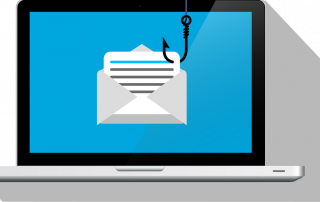
Beware of phishing: Your PayPal account has been restricted.
Beware of the email "Your PayPal account has been restricted." Criminals are using this phishing scam to steal your login information and money. They pressure you into clicking on fake links. We'll show you how to recognize the scam immediately and what to do.

Excel Tutorial: How to quickly and safely remove duplicates
Duplicate entries in your Excel lists? This distorts your data. Our tutorial shows you, using a practical example, how to clean up your data in seconds with the "Remove Duplicates" function – whether you want to delete identical rows or just values in a column.
Offers 2024: Word & Excel Templates











Popular Posts
Why Zero Trust doesn’t work without identity protection!
Zero Trust means: Trust no one, verify everyone. Identity protection is at the heart of this modern security model. Learn how IAM, MFA, Conditional Access, and the principle of least privilege effectively protect your business when the old network perimeter is gone.
How AI fuels cyberattacks – and how it protects us from them
Cybercriminals are using AI for deepfakes and automated attacks. Defenses are also relying on AI: through behavioral analysis (UEBA) and automated responses (SOAR). Learn how this arms race works and how modern security strategies can protect your business.
Put an end to password chaos: Why a password manager is important
Passwords are constantly being stolen through data leaks. A password manager is your digital vault. It creates and stores strong, unique passwords for every service. This effectively protects you against identity theft through "credential stuffing".
More than just a password: Why 2-factor authentication is mandatory today
Why is two-factor authentication (2FA) mandatory today? Because passwords are constantly being stolen through data leaks and phishing. 2FA is the second, crucial barrier (e.g., via an app) that stops attackers – even if they know your password. Protect yourself now!
Beware of phishing: Your PayPal account has been restricted.
Beware of the email "Your PayPal account has been restricted." Criminals are using this phishing scam to steal your login information and money. They pressure you into clicking on fake links. We'll show you how to recognize the scam immediately and what to do.
Excel Tutorial: How to quickly and safely remove duplicates
Duplicate entries in your Excel lists? This distorts your data. Our tutorial shows you, using a practical example, how to clean up your data in seconds with the "Remove Duplicates" function – whether you want to delete identical rows or just values in a column.
Offers 2024: Word & Excel Templates

























