

Computer skills in the CV: An invaluable asset


In today’s digitized world, computer skills are no longer a luxury, but a necessity. Whether you aspire to a career in information technology or not, basic computer skills are invaluable in almost any industry. In this article, we’re going to look at how to effectively showcase your computer skills on your resume.

Computer skills in the CV: An invaluable asset
In today’s digitized world, computer skills are no longer a luxury, but a necessity. Whether you aspire to a career in information technology or not, basic computer skills are invaluable in almost any industry. In this article, we’re going to look at how to effectively showcase your computer skills on your resume.
Identify relevant computer skills
Identify relevant computer skills
The first step is to identify the computer skills you possess that are relevant to the position you are applying for. This can be general knowledge of using computer hardware and software, specific programming languages, experience with specific software applications or platforms, or knowledge of specific IT processes and methods.
You should consider the following to identify and highlight the most important computer skills for the desired job:
Identifying and highlighting relevant computer skills in your CV can help you position yourself as a strong candidate and increase your chances of a successful application. However, it is important that you remain honest and authentic at all times, and that you focus on the IT skills you actually have that are relevant to the job.
The first step is to identify the computer skills you possess that are relevant to the position you are applying for. This can be general knowledge of using computer hardware and software, specific programming languages, experience with specific software applications or platforms, or knowledge of specific IT processes and methods.
You should consider the following to identify and highlight the most important computer skills for the desired job:
Identifying and highlighting relevant computer skills in your CV can help you position yourself as a strong candidate and increase your chances of a successful application. However, it is important that you remain honest and authentic at all times, and that you focus on the IT skills you actually have that are relevant to the job.
Group your computer skills
Group your computer skills
An orderly and well-structured presentation of your computer skills on your CV can have a significant impact on how well these skills are perceived by potential employers. Grouping your computer skills together can make it easier to see the variety and depth of your technical skills.
Some considerations for grouping computer skills on your CV:

An orderly and well-structured presentation of your computer skills on your CV can have a significant impact on how well these skills are perceived by potential employers. Grouping your computer skills together can make it easier to see the variety and depth of your technical skills.
Some considerations for grouping computer skills on your CV:
Be specific
Be specific
The how you present your computer skills on your CV can have a significant effect on how well they are perceived by potential employers. One of the most effective strategies for improving the presentation of your computer skills is to be specific.
Here are some tips on how to achieve that:

The how you present your computer skills on your CV can have a significant effect on how well they are perceived by potential employers. One of the most effective strategies for improving the presentation of your computer skills is to be specific.
Here are some tips on how to achieve that:
Certificates and training
Certificates and training
Certifications and training are important aspects of your resume as they not only validate your knowledge and skills in specific areas, including computer skills, but also underscore your willingness for lifelong learning and your motivation to constantly improve.
Certificates and further training have a significant influence on your job prospects. They can help increase your credibility, improve your skills, and increase your chances of a successful application. It is therefore important to present them effectively on your CV.
We hope that we have given you these tips for a successful application and perhaps deepen one or the other consideration that you have already made yourself.
Certifications and training are important aspects of your resume as they not only validate your knowledge and skills in specific areas, including computer skills, but also underscore your willingness for lifelong learning and your motivation to constantly improve.
Certificates and further training have a significant influence on your job prospects. They can help increase your credibility, improve your skills, and increase your chances of a successful application. It is therefore important to present them effectively on your CV.
We hope that we have given you these tips for a successful application and perhaps deepen one or the other consideration that you have already made yourself.

Popular Posts

When your own voice becomes a weapon: The rise of AI-powered audio fraud
Artificial intelligence is making the classic grandparent scam more dangerous than ever. Criminals need only a few seconds of audio material from social media to perfectly clone voices. This article examines the technology behind "deepfake calls," presents real-life case studies, and explains effective protective measures such as the family safeword.

Smartphone Wi-Fi security: Public hotspots vs. home network
Is smartphone Wi-Fi a security risk? This article analyzes in detail threats such as evil twin attacks and explains protective measures for when you're on the go. We also clarify why home Wi-Fi is usually secure and how you can effectively separate your smart home from sensitive data using a guest network.
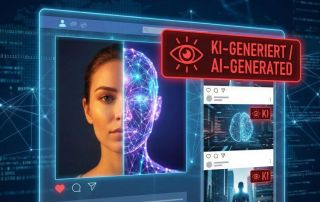
AI labeling on social media: Obligations & help with errors
No more deception: Instagram, TikTok, and YouTube are requiring users to label AI-generated content. We explain the technology, the risks for creators, and what to do if the algorithm mistakenly identifies your real photos as AI ("false positives").

Warum dein Excel-Kurs Zeitverschwendung ist – was du wirklich lernen solltest!
Hand aufs Herz: Wann hast du zuletzt eine komplexe Excel-Formel ohne Googeln getippt? Eben. KI schreibt heute den Code für dich. Erfahre, warum klassische Excel-Trainings veraltet sind und welche 3 modernen Skills deinen Marktwert im Büro jetzt massiv steigern.
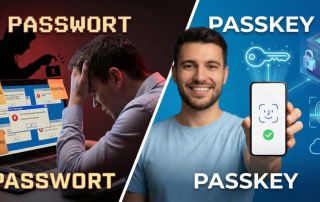
Password madness: Why passkeys are the future
The era of passwords is ending. Passkeys offer protection against phishing and make logging in as easy as glancing at your phone. But what happens when you change phones? This article explains the technology and provides important tips for securely transferring your digital keys.

Windows 10: One month after the “End of Life” – assessment and options for action
On October 14, 2025, support for Windows 10 ended. Millions of PCs are now unprotected. We examine the current security situation, the new ESU subscription model, and show solutions for older hardware – from upgrade tricks to secure Linux alternatives.
Offers 2024: Word & Excel Templates











Popular Posts
When your own voice becomes a weapon: The rise of AI-powered audio fraud
Artificial intelligence is making the classic grandparent scam more dangerous than ever. Criminals need only a few seconds of audio material from social media to perfectly clone voices. This article examines the technology behind "deepfake calls," presents real-life case studies, and explains effective protective measures such as the family safeword.
Smartphone Wi-Fi security: Public hotspots vs. home network
Is smartphone Wi-Fi a security risk? This article analyzes in detail threats such as evil twin attacks and explains protective measures for when you're on the go. We also clarify why home Wi-Fi is usually secure and how you can effectively separate your smart home from sensitive data using a guest network.
AI labeling on social media: Obligations & help with errors
No more deception: Instagram, TikTok, and YouTube are requiring users to label AI-generated content. We explain the technology, the risks for creators, and what to do if the algorithm mistakenly identifies your real photos as AI ("false positives").
Warum dein Excel-Kurs Zeitverschwendung ist – was du wirklich lernen solltest!
Hand aufs Herz: Wann hast du zuletzt eine komplexe Excel-Formel ohne Googeln getippt? Eben. KI schreibt heute den Code für dich. Erfahre, warum klassische Excel-Trainings veraltet sind und welche 3 modernen Skills deinen Marktwert im Büro jetzt massiv steigern.
Password madness: Why passkeys are the future
The era of passwords is ending. Passkeys offer protection against phishing and make logging in as easy as glancing at your phone. But what happens when you change phones? This article explains the technology and provides important tips for securely transferring your digital keys.
Windows 10: One month after the “End of Life” – assessment and options for action
On October 14, 2025, support for Windows 10 ended. Millions of PCs are now unprotected. We examine the current security situation, the new ESU subscription model, and show solutions for older hardware – from upgrade tricks to secure Linux alternatives.
Offers 2024: Word & Excel Templates


















