

The most important tips for online banking


The number of participants in online banking is growing, and is enjoying increasing enthusiasm.
In the year 2018, 50% of Germans now have online access to their checking account. Nevertheless, on closer examination, the proportion has grown by only about 5% in the past 5 years. The reasons for this are among others, often the recurrent reports about security vulnerabilities, or stolen records. Of course, this does not necessarily create trust among customers.
In part, however, it is also the case that the users even by ignorance, or negligence, your data in the hands of scammers, or at least make it easy. In our article, we would like to point out the most important points from our point of view, so that you can do your money conveniently and, above all, safely from home.
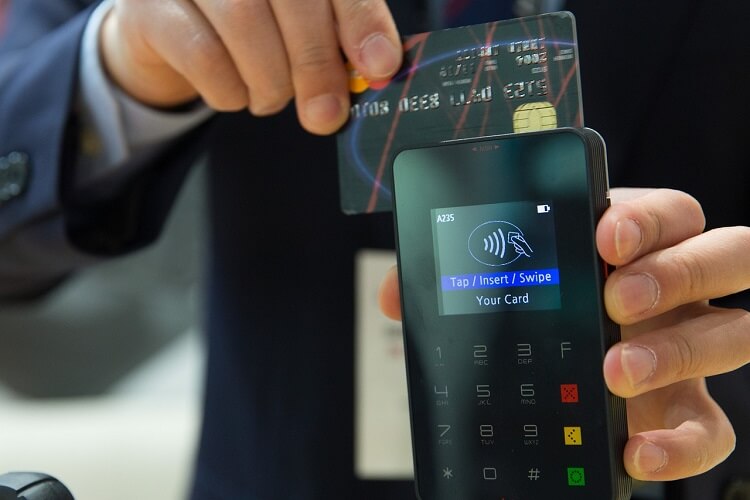
The most important tips for online banking
The number of participants in online banking is growing, and is enjoying increasing enthusiasm.
In the year 2018, 50% of Germans now have online access to their checking account. Nevertheless, on closer examination, the proportion has grown by only about 5% in the past 5 years. The reasons for this are among others, often the recurrent reports about security vulnerabilities, or stolen records. Of course, this does not necessarily create trust among customers.
In part, however, it is also the case that the users even by ignorance, or negligence, your data in the hands of scammers, or at least make it easy. In our article, we would like to point out the most important points from our point of view, so that you can do your money conveniently and, above all, safely from home.
1. Overview of the TAN procedure
1. Overview of the TAN procedure
After many attempts by the banks, the following procedures have now been established:
Although there are other methods, but basically it is as you have already noticed, always about as safe as possible to create a TAN or transfer.
After many attempts by the banks, the following procedures have now been established:
Although there are other methods, but basically it is as you have already noticed, always about as safe as possible to create a TAN or transfer.
2. Browser security in online banking
2. Browser security in online banking
Regardless of which of the above methods you use, they all presuppose that the entire chain of the components involved is protected.
And that includes the security of the PC and the browser used.
Note:
A good alternative to the standard browsers especially for online banking, but also for transactions via PayPal and other financial service providers offers the premium anti-virus software Bitdefender
This browser is specially secured by the attached anti-virus software to a high degree, and is absolutely recommendable from personal experience.
Regardless of which of the above methods you use, they all presuppose that the entire chain of the components involved is protected.
And that includes the security of the PC and the browser used.
Note:
A good alternative to the standard browsers especially for online banking, but also for transactions via PayPal and other financial service providers offers the premium anti-virus software Bitdefender
This browser is specially secured by the attached anti-virus software to a high degree, and is absolutely recommendable from personal experience.
3. Password security for online banking
3. Password security for online banking
Of course, all technical safety measures are useless if it fails the easiest. Namely the secure password.
Here we recommend that you think up a whole sentence that you may associate with personal events. And you should then change this as far as the e.g. every 2nd letter is capitalized, or the letter E is replaced by a 3.
You could then use special characters such as / or% between the words.
Basically, the more complex a password is, the better.
If you do not want to think of anything, you can also create an Online Password Generator. But it is better that you think your own.

Of course, all technical safety measures are useless if it fails the easiest. Namely the secure password.
Here we recommend that you think up a whole sentence that you may associate with personal events. And you should then change this as far as the e.g. every 2nd letter is capitalized, or the letter E is replaced by a 3.
You could then use special characters such as / or% between the words.
Basically, the more complex a password is, the better.
If you do not want to think of anything, you can also create an Online Password Generator. But it is better that you think your own.
4. Protection against phishing in online banking
4. Protection against phishing in online banking
The methods that scammers are trying to get at your bank details are almost limitless.
In any case, you should pay attention to the following points to make it as difficult as possible for such people:
The methods that scammers are trying to get at your bank details are almost limitless.
In any case, you should pay attention to the following points to make it as difficult as possible for such people:
5. Free checking accounts in comparison
5. Free checking accounts in comparison
6. Installment loans in comparison
6. Installment loans in comparison

Popular Posts:

Dynamic ranges in Excel: OFFSET function
The OFFSET function in Excel creates a flexible reference. Instead of fixing =SUM(B5:B7), the function finds the range itself, e.g., for the "last 3 months". Ideal for dynamic charts or dashboards that grow automatically.

Mastering the INDIRECT function in Excel
The INDIRECT function in Excel converts text into a real reference. Instead of manually typing =January!E10, use =INDIRECT(A2 & "!E10"), where A2 contains 'January'. This allows you to easily create dynamic summaries for multiple worksheets.

From assistant to agent: Microsoft’s Copilot
Copilot is growing up: Microsoft's AI is no longer an assistant, but a proactive agent. With "Vision," it sees your Windows desktop; in M365, it analyzes data as a "Researcher"; and in GitHub, it autonomously corrects code. The biggest update yet.

Windows 12: Where is it? The current status in October 2025
Everyone was waiting for Windows 12 in October 2025, but it didn't arrive. Instead, Microsoft is focusing on Windows 11 25H2 and "Copilot+ PC" features. We'll explain: Is Windows 12 canceled, postponed, or is it already available as an AI update for Windows 11?
Blocking websites on Windows using the hosts file
Want to block unwanted websites in Windows? You can do it without extra software using the hosts file. We'll show you how to edit the file as an administrator and redirect domains like example.de to 127.0.0.1. This will block them immediately in all browsers.

The “Zero Inbox” method with Outlook: How to permanently get your mailbox under control.
Caught red-handed? Your Outlook inbox has 1000+ emails? That's pure stress. Stop the email deluge with the "Zero Inbox" method. We'll show you how to clean up your inbox and regain control using Quick Steps and rules.
Offers 2024: Word & Excel Templates











Popular Posts:
Dynamic ranges in Excel: OFFSET function
The OFFSET function in Excel creates a flexible reference. Instead of fixing =SUM(B5:B7), the function finds the range itself, e.g., for the "last 3 months". Ideal for dynamic charts or dashboards that grow automatically.
Mastering the INDIRECT function in Excel
The INDIRECT function in Excel converts text into a real reference. Instead of manually typing =January!E10, use =INDIRECT(A2 & "!E10"), where A2 contains 'January'. This allows you to easily create dynamic summaries for multiple worksheets.
From assistant to agent: Microsoft’s Copilot
Copilot is growing up: Microsoft's AI is no longer an assistant, but a proactive agent. With "Vision," it sees your Windows desktop; in M365, it analyzes data as a "Researcher"; and in GitHub, it autonomously corrects code. The biggest update yet.
Windows 12: Where is it? The current status in October 2025
Everyone was waiting for Windows 12 in October 2025, but it didn't arrive. Instead, Microsoft is focusing on Windows 11 25H2 and "Copilot+ PC" features. We'll explain: Is Windows 12 canceled, postponed, or is it already available as an AI update for Windows 11?
Blocking websites on Windows using the hosts file
Want to block unwanted websites in Windows? You can do it without extra software using the hosts file. We'll show you how to edit the file as an administrator and redirect domains like example.de to 127.0.0.1. This will block them immediately in all browsers.
The “Zero Inbox” method with Outlook: How to permanently get your mailbox under control.
Caught red-handed? Your Outlook inbox has 1000+ emails? That's pure stress. Stop the email deluge with the "Zero Inbox" method. We'll show you how to clean up your inbox and regain control using Quick Steps and rules.
Offers 2024: Word & Excel Templates

























