Perplexity challenges Google with its own AI browser “Comet”


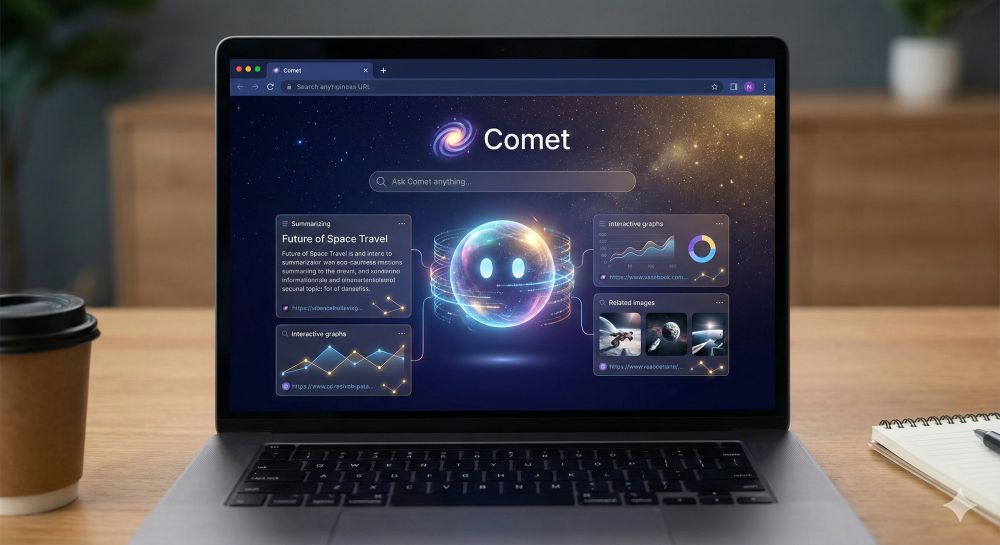
Perplexity is transforming from a simple search engine into a fully-fledged gateway to the internet. With the launch of its own browser, “Comet”—now also available for Android—the AI startup is directly challenging Google Chrome’s dominance.
For a long time, Perplexity was “just” an intelligent alternative to the classic Google search. But the company’s ambitions have grown. With the launch of the Comet browser, Perplexity is now positioning itself as a central platform for all our web interactions. What can the new browser do, and why could it change the way we browse the web forever?
More than just a search: What is “Comet”?
While conventional browsers like Chrome or Safari are primarily tools for viewing web pages, Comet positions itself as an “AI-native” browser. This means that artificial intelligence isn’t just an added feature (like Copilot in Edge), but rather the core of the software.
Following its desktop launch, Perplexity is now rolling out the browser to mobile devices (Android launch in November 2025, iOS to follow). The goal: to transform browsing from a passive activity (“I’m reading a page”) to active assistance (“The AI is doing something for me”).
The 3 Core Features at a Glance
The “Comet Assistant” (Agent AI): The most important unique selling point. The browser acts as an agent. It can not only answer questions but also perform context-related tasks.
Example: You have 10 tabs open with different product reviews. Instead of reading everything, ask Comet: “Summarize the pros and cons of all these open tabs and tell me which product costs under €50.”
Voice-First Navigation: Especially on smartphones, Comet relies heavily on voice input. The “Voice Mode” allows you to conduct complex research completely hands-free. The interaction feels more like a conversation than typing keywords into a URL bar.
Security & Control for High-Stakes Actions: A major problem with AI agents is “hallucinating” or unwanted actions. Perplexity has built in security mechanisms to address this: If the assistant is supposed to perform sensitive actions (e.g., logging into a website or adding items to a shopping cart), the system pauses and explicitly requests the user’s permission.
An important step for Perplexity
For Perplexity, its own browser is a strategic move to break free from dependence on other platforms.
Battle for the Homepage: Whoever controls the browser controls access to the internet. Until now, Perplexity had to rely on users actively visiting its website. With Comet, Perplexity becomes the default interface.
Competition to “Arc” and OpenAI: Perplexity isn’t alone. The “Arc” browser (from The Browser Company) has already demonstrated what an AI browser can look like. OpenAI (ChatGPT) is also rumored to have similar browser ambitions. Perplexity is now trying to establish itself as the faster, research-oriented alternative.
Important to Know: While Google Chrome primarily earns its money through advertising, Perplexity uses a freemium model. Basic use is free, but a Pro subscription is required for deeper analyses and more advanced AI models (such as Claude or GPT-4o).
Availability of the Perplexity Comet Browser:
- Desktop (Mac/Windows): Already available.
- Android: Rolling out since the end of 2025.
- iOS (iPhone/iPad): According to the company, available soon.
Conclusion: A look into the future
With Comet, Perplexity demonstrates that the era of “dumb” web browsers that only display HTML is over. For users who do a lot of research, students, or knowledge workers, Comet could massively accelerate their workflow. However, whether it succeeds in luring the average user away from their familiar Chrome or Safari will depend on how seamlessly and flawlessly the “Comet Assistant” actually functions in everyday use.

Beliebte Beiträge
Microsoft Office 2021 – Is the switch worth it?
Since October 5, 2021, the time has finally come. After Office 2019, Office 2021 is now at the start. We took a closer look at the new Office version and found out whether the switch is worth it.

Excel Scenario manager and target value search
How you can use the scenario manager and target value search in Excel 2016/2019 to present complex issues in a space-saving and clear way.

Insert controls and form fields in Word
With Microsoft Word you can not only comfortably create letters, lists and articles with tables of contents, but also go one step further, and Set up your own forms using controls.

Apply nested functions in Excel
Nested functions in Excel offer the possibility to combine several arguments with each other or to exclude conditions. We explain how it works.

Office 2021 – Everything you need to know about price, versions and scope
Shortly before the release, Microsoft announced the prices and scope for the new Office 2021. We are a little amazed at what is coming.
Insert Excel spreadsheets into Word Documents
So you can easily insert Excel spreadsheets into Word and link them together to get a dynamic document.
Offers 2024: Word & Excel Templates