Microsoft Loop in Teams: The revolution of your notes?


Have you ever wondered what these new Loop components in your Microsoft Teams chat are all about? They look unassuming, but they have the potential to completely change the way we share information as a team. Forget rigid wiki pages or endless email threads for small discussions – here comes Loop.
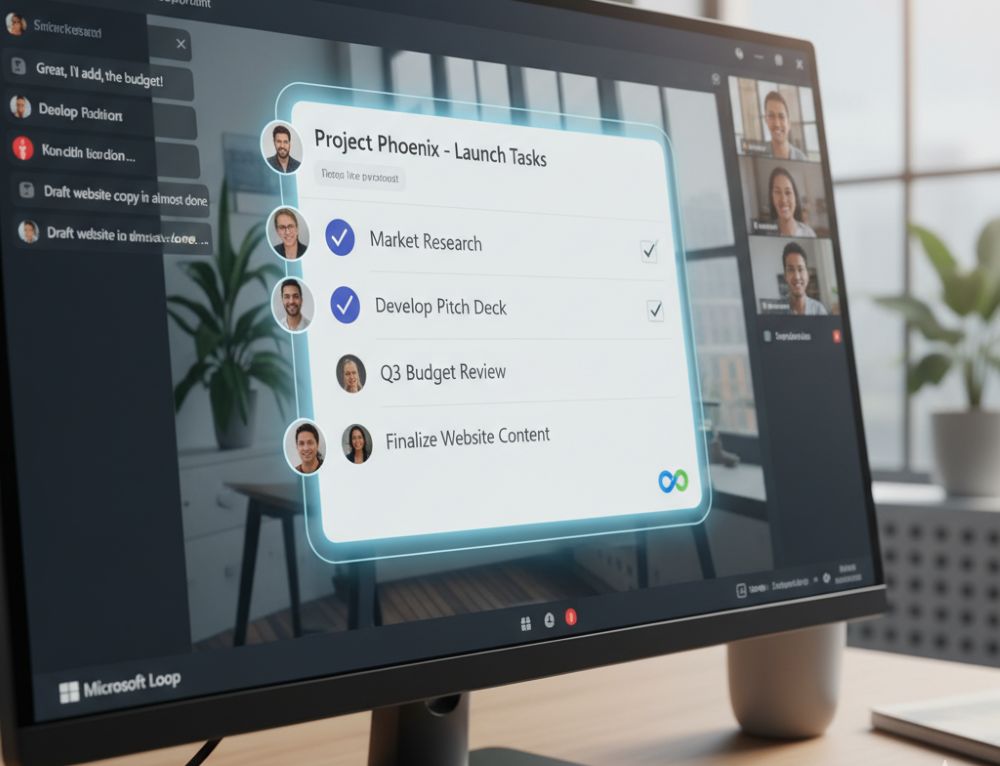
What exactly is Microsoft Loop?
Think of Loop components as living mini-documents that you can embed directly into a Teams chat or email. The best part? They’re always up-to-date, no matter where they’re displayed. If someone edits a checklist in the Teams chat, it instantly updates for everyone else with access – in real time.
Top Use Cases for Loop in Teams
Why use Loop if you already have Word or OneNote? Here are the unbeatable advantages for a fast-paced workday:
- The Dynamic Agenda: Before a meeting, post a Loop component with the agenda in the chat. Every participant can add or check off items beforehand. No more static Word documents that need to be passed around.
- Shared Checklists & Tasks: For small projects or quick to-dos within a team, a Loop task list is invaluable. Everyone can immediately see who has done what, without having to create a separate, elaborate planner.
- Idea Collection & Brainstorming: Use a loop table or a simple list to spontaneously collect ideas in the chat. Everyone types simultaneously, nothing gets lost, and the result is immediately visible and usable for everyone.
Here’s how to get started with Loop in Teams
It’s incredibly easy: In the Teams chat, click the loop icon (a small loop) below the text input field. Select a component (e.g., bulleted list, table, task list), type in your content, and send it. Now everyone in the chat can contribute!
Try it out in your next team chat. You’ll see: Loop components are a real game-changer for quick and easy collaboration!
Tips for your resume
Be specific: Instead of just writing “MS Office skills,” provide details: “Advanced Excel skills (VLOOKUP, PivotTables, Power Query)” or “Experienced in hybrid collaboration with MS Teams.”
Show up-to-date knowledge: Mention if you’re familiar with the latest versions or features (like Copilot). This signals a willingness to learn and a modern approach.
Invest in your digital skills now. It’s an investment that’s guaranteed to pay off in 2026!

Beliebte Beiträge

Is crypto mining worth it and how does it work?
Discover how crypto mining works! Learn the steps from setting up the right mining hardware to using mining pools and securing your cryptocurrencies.

The limits of limitless growth
Can there be limitless economic growth with today's models. And how sustainable is that? What alternatives are there? In this article we want to take a critical look at our current global economic model.

Amazon Prime Lite Video – Cheaper plan with ads
After Freevee, a free streaming service, was established in Germany, a new variant, Prime Lite Video, is currently being tested.

Immerse yourself in the world of auctions – A cheerful chronicle of eBay
Join us on a merry ride through the Ebay chronicle. And how we managed to turn Ebay into a billion-dollar company. As so often, the start begins in a small garage in the middle of nowhere.

Immediate transfer free of charge within the EU
Sofortüberweisung will be free of charge within the EU in the future. This could be a real competitor for PayPal and other payment service providers where payments are executed immediately compared to traditional bank transfers.

Google My Business: The success factor for local businesses
Google My Business for Local Businesses: The Road to Success. Discover the advantages and conquer the local search results!
Offers 2024: Word & Excel Templates