From assistant to agent: Microsoft’s Copilot


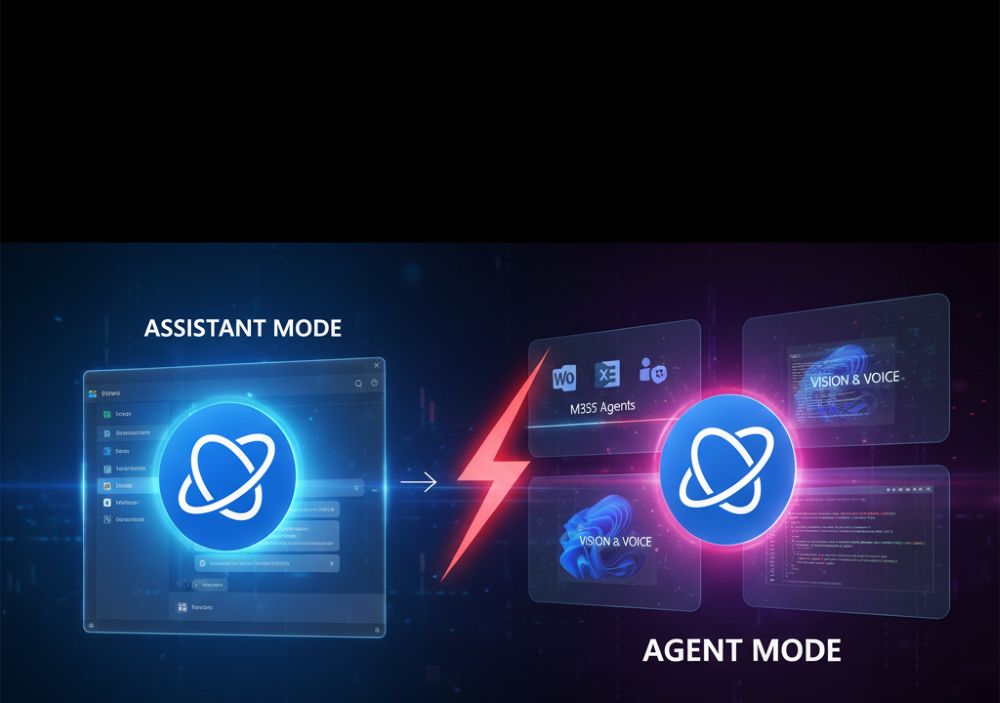
Since its introduction, Microsoft Copilot has fundamentally changed the way we interact with software. What began as AI-powered text assistance has quickly become a core element of Microsoft’s strategy. However, the latest developments (through the end of 2025) mark the biggest leap yet: Microsoft is transforming from a passive “assistant” waiting for commands to a proactive “agent” working independently.
This revolution spans three key areas: the workplace (Microsoft 365), the operating system (Windows 11), and software development (GitHub).
1. New features in Microsoft 365: The specialized colleague
In everyday office life, Copilot transforms from a generalist to a team of specialists. Instead of a single chatbot, users gain access to specialized agents and tools that are deeply integrated into workflows.
The Introduction of AI Agents
The biggest innovation is the introduction of specialized Copilot agents. These agents can receive complex tasks and work on them independently over extended periods.
- Researcher Agent: You can assign this agent a topic (e.g., “Analyze the market trends for e-mobility in Europe”). The agent conducts independent research, summarizes information from various sources (internal and external), and creates a complete report.
- Analyst Agent: This agent focuses on data. It can analyze complex raw data from Excel spreadsheets or databases, recognize patterns, and suggest visualizations for presentations.
- Copilot Studio: The Tailor-Made Employee
For companies, the “Copilot Studio” is perhaps the most important innovation. It’s a low-code platform that allows companies to create their own Copilot agents. These agents can be connected to internal systems (such as SAP, Salesforce, or proprietary databases) to automate specific business processes, for example:
- An “HR Copilot” for vacation planning.
- An “IT Support Agent” for automated troubleshooting.
- A “Sales Agent” that prepares customer data.
Copilot Analytics and App Enhancements
- Analytics: Administrators receive detailed ROI analyses via Viva Insights and the M365 Admin Center to see how and where Copilot delivers real value to the company.
- Excel: Copilot can now also analyze and categorize unstructured data, such as plain text columns.
- PowerPoint: The assistant now creates slide-specific speaker notes on request, instead of just a general summary. to deliver the presentation.
- Outlook & Teams: Copilot takes a more active role in scheduling, automatically suggesting agendas based on the topic and participants, and moderating meeting time.
2. New features in Windows 11: The sighted operating system
In Windows 11, Copilot is fully integrated with the operating system. It’s no longer just a sidebar, but an integral part of the user experience, capable of seeing, hearing, and acting.
Copilot Voice: Hands-free Control
Voice control is being rolled out globally. Users can now access Copilot hands-free using a wake word. This goes beyond simple commands; you can delegate system tasks in natural language (“Turn on Dark Mode,” “Open Settings and show me Bluetooth devices”).
Copilot Vision: AI Sees Your Screen
This is a fundamental shift: Copilot can now “see” what’s happening on your screen. You can share your desktop or a specific application with Copilot and ask context-sensitive questions:
- “Help me fill out this form.”
- “Summarize the text in this open window.”
- “Why am I seeing an error message here?”
Deep System and File Integration
Copilot is gradually gaining access to Windows settings and the local file system (this is still partially under development/preview). In the future, you will be able to issue commands such as:
- “Sort all photos in the ‘Vacation 2025’ folder by date.”
- “Extract all tables from the PDF files in my Downloads folder.”
3. New features in GitHub Copilot: The autonomous programmer
For developers, Microsoft is showcasing the technological pinnacle of Copilot. Here, the transformation to an “agent” is most advanced.
The “Agent Mode” (Preview)
The new “Agent Mode” represents a paradigm shift. The developer gives Copilot a goal (e.g., “Fix this bug” or “Implement this new feature”). Copilot then acts autonomously:
- Iterate: It writes the code.
- Test: It executes the tests.
- Debug: If the tests fail, it analyzes the error and attempts to write a fix independently.
- Retry: It repeats this cycle until the task is solved.
Copilot Edits: Refactoring in Natural Language
One of the most powerful new features is “Copilot Edits”. Developers can instruct Copilot to perform complex refactoring across multiple files and folders simply via chat commands.
Command: “Rename the function ‘GetUser’ to ‘FetchUserProfile’ and update all instances throughout the project where it is called.”
Context Awareness and “Vision”
Microsoft Learn Integration: A major problem with AI models is outdated knowledge. GitHub Copilot can now directly access the official Microsoft Learn documentation to ensure that its code suggestions are up-to-date.
Vision (UI Analysis): Similar to Windows, developers can upload screenshots or sketches of a user interface, and Copilot will generate the corresponding frontend code (e.g., HTML/CSS).
Conclusion
Microsoft Copilot in 2025 is no longer the tool it was in 2023. It’s an ecosystem of specialized AI agents. Whether as a data analyst in Excel, a visionary assistant in Windows, or an autonomous programmer in GitHub – Copilot takes on responsibility, works independently, and evolves from a tool into a fully-fledged digital employee.

Beliebte Beiträge

From assistant to agent: Microsoft’s Copilot
Copilot is growing up: Microsoft's AI is no longer an assistant, but a proactive agent. With "Vision," it sees your Windows desktop; in M365, it analyzes data as a "Researcher"; and in GitHub, it autonomously corrects code. The biggest update yet.

Never do the same thing again: How to record a macro in Excel
Tired of repetitive tasks in Excel? Learn how to create your first personal "magic button" with the macro recorder. Automate formatting and save hours – no programming required! Click here for easy instructions.
IMAP vs. Local Folders: The secret to your Outlook structure and why it matters
Do you know the difference between IMAP and local folders in Outlook? Incorrect use can lead to data loss! We'll explain simply what belongs where, how to clean up your mailbox, and how to archive emails securely and for the long term.

Der ultimative Effizienz-Boost: Wie Excel, Word und Outlook für Sie zusammenarbeiten
Schluss mit manuellem Kopieren! Lernen Sie, wie Sie Excel-Listen, Word-Vorlagen & Outlook verbinden, um personalisierte Serien-E-Mails automatisch zu versenden. Sparen Sie Zeit, vermeiden Sie Fehler und steigern Sie Ihre Effizienz. Hier geht's zur einfachen Anleitung!

Microsoft 365 Copilot in practice: Your guide to the new everyday work routine
What can Microsoft 365 Copilot really do? 🤖 We'll show you in a practical way how the AI assistant revolutionizes your daily work in Word, Excel & Teams. From a blank page to a finished presentation in minutes! The ultimate practical guide for the new workday. #Copilot #Microsoft365 #AI

Integrate and use ChatGPT in Excel – is that possible?
ChatGPT is more than just a simple chatbot. Learn how it can revolutionize how you work with Excel by translating formulas, creating VBA macros, and even promising future integration with Office.
Offers 2024: Word & Excel Templates