WhatsApp comes to Wear OS smartwatches


WhatsApp, the world’s leading messenger service, recently launched a standalone app for smartwatches running the Wear OS operating system. This development marks a significant milestone in improving the usability of smartwatches and opens up new communication possibilities for users. This is particularly useful in situations where using a cell phone would be impractical or inappropriate, such as during a meeting or while playing sports.
In addition, this development underscores the growing trend towards the use of wearables and the increasing acceptance of smartwatches as standalone communication devices. With the ability to receive and send WhatsApp messages directly on the smartwatch, the smartwatch becomes an even more versatile device that goes far beyond just showing the time and fitness data.
WhatsApp comes to Wear OS smartwatches
WhatsApp, the world’s leading messenger service, recently launched a standalone app for smartwatches running the Wear OS operating system. This development marks a significant milestone in improving the usability of smartwatches and opens up new communication possibilities for users. This is particularly useful in situations where using a cell phone would be impractical or inappropriate, such as during a meeting or while playing sports.
In addition, this development underscores the growing trend towards the use of wearables and the increasing acceptance of smartwatches as standalone communication devices. With the ability to receive and send WhatsApp messages directly on the smartwatch, the smartwatch becomes an even more versatile device that goes far beyond just showing the time and fitness data.
WhatsApp on the wrist: A new era of communication
WhatsApp on the wrist: A new era of communication
The new WhatsApp app for Wear OS allows users to chat and make calls directly from their smartwatch. This means they no longer have to pick up their cell phone to communicate with their contacts. This is a big step towards more seamless and convenient communication.
- With the launch of the WhatsApp app on Wear OS, the way we communicate is being redefined. The ability to send and receive messages without having to take your smartphone out of your pocket offers a new level of convenience. Whether you’re in a meeting, playing sports, or just getting your hands full, you can now easily access your messages.
In addition, this development could fundamentally change the way we use our smartwatches. Instead of just seeing them as devices to monitor our health or display notifications, they could become a central communication tool in our everyday lives. With the ability to make calls and send messages directly from the watch, the smartwatch becomes an even more versatile device.
Features of the new WhatsApp app
The new app offers a range of functions that make communication easier. Users can view entire conversations, retrieve incoming messages including media files, and listen to and record voice messages. These functions make the smartwatch an even more versatile communication tool.
- With the new WhatsApp app for Wear OS, users can now view all of their conversations right on their smartwatch. This means they can better understand the context of a conversation without having to pick up their smartphone. In addition, they can check incoming messages and media files directly on their smartwatch, making communication even more seamless and convenient.
- Another important feature of the new app is the ability to record and listen to voice messages directly on the smartwatch. This is especially useful in situations where typing on a small screen might be inconvenient or difficult. With this feature, users can simply record and send a voice message, making communication easier and faster.
WhatsApp and Apple Watch: The missing connection
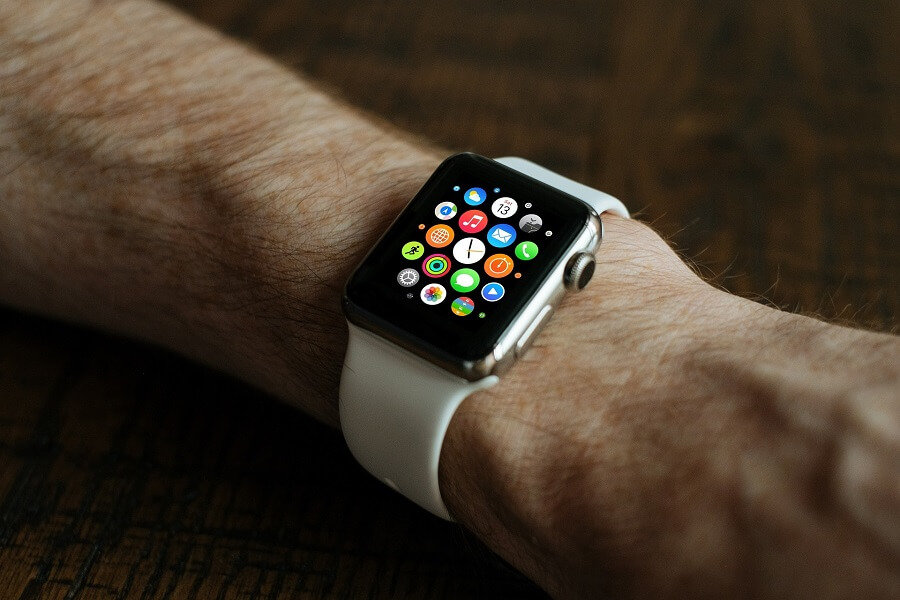
Unlike Wear OS, Apple’s watchOS doesn’t currently have a standalone WhatsApp app. This means that users on the Apple Watch will have to do without such a function. Considered one of the leading smartwatches out there, the Apple Watch may offer a variety of apps and features, but the absence of WhatsApp is a notable omission in its offering.
- The lack of WhatsApp integration on the Apple Watch can be a deciding factor for some users when choosing between an Apple Watch and a Wear OS smartwatch. WhatsApp is one of the most widely used messaging apps worldwide and many users rely heavily on it for their daily communication. Therefore, the ability to receive and send WhatsApp messages directly on the smartwatch can be an important feature for or against a purchase decision for many.
It remains to be seen whether WhatsApp will also develop an app for the Apple Watch in the future. Such a development could increase the appeal of the Apple Watch to many potential buyers and help close the gap between watchOS and Wear OS capabilities. Until then, however, the WhatsApp app for Wear OS remains a unique selling point for smartwatches that use this operating system.
Supported devices and future plans
The WhatsApp app for Wear OS is currently in beta and supports various Wear OS 3 smartwatches, including the Pixel Watch and the Galaxy Watch 5. This support demonstrates WhatsApp’s commitment to serving a wide range of devices and providing users with a variety of options.
The app is expected to receive more updates and improvements in the coming months. These may include new features and user interface improvements to further improve users’ experience. Additionally, support for more devices could be added to allow even more users to access the app.
The launch of the WhatsApp app for Wear OS is an important step for the company and demonstrates its willingness to adapt to users’ changing needs and expectations. With the proliferation of smartwatches and growing demand for more convenient and versatile ways to communicate, it’s likely that WhatsApp will continue to find new ways to extend its services to these devices in the future.
The new WhatsApp app for Wear OS allows users to chat and make calls directly from their smartwatch. This means they no longer have to pick up their cell phone to communicate with their contacts. This is a big step towards more seamless and convenient communication.
- With the launch of the WhatsApp app on Wear OS, the way we communicate is being redefined. The ability to send and receive messages without having to take your smartphone out of your pocket offers a new level of convenience. Whether you’re in a meeting, playing sports, or just getting your hands full, you can now easily access your messages.
In addition, this development could fundamentally change the way we use our smartwatches. Instead of just seeing them as devices to monitor our health or display notifications, they could become a central communication tool in our everyday lives. With the ability to make calls and send messages directly from the watch, the smartwatch becomes an even more versatile device.
Features of the new WhatsApp app
The new app offers a range of functions that make communication easier. Users can view entire conversations, retrieve incoming messages including media files, and listen to and record voice messages. These functions make the smartwatch an even more versatile communication tool.
- With the new WhatsApp app for Wear OS, users can now view all of their conversations right on their smartwatch. This means they can better understand the context of a conversation without having to pick up their smartphone. In addition, they can check incoming messages and media files directly on their smartwatch, making communication even more seamless and convenient.
- Another important feature of the new app is the ability to record and listen to voice messages directly on the smartwatch. This is especially useful in situations where typing on a small screen might be inconvenient or difficult. With this feature, users can simply record and send a voice message, making communication easier and faster.
WhatsApp and Apple Watch: The missing connection
Unlike Wear OS, Apple’s watchOS doesn’t currently have a standalone WhatsApp app. This means that users on the Apple Watch will have to do without such a function. Considered one of the leading smartwatches out there, the Apple Watch may offer a variety of apps and features, but the absence of WhatsApp is a notable omission in its offering.
- The lack of WhatsApp integration on the Apple Watch can be a deciding factor for some users when choosing between an Apple Watch and a Wear OS smartwatch. WhatsApp is one of the most widely used messaging apps worldwide and many users rely heavily on it for their daily communication. Therefore, the ability to receive and send WhatsApp messages directly on the smartwatch can be an important feature for or against a purchase decision for many.
It remains to be seen whether WhatsApp will also develop an app for the Apple Watch in the future. Such a development could increase the appeal of the Apple Watch to many potential buyers and help close the gap between watchOS and Wear OS capabilities. Until then, however, the WhatsApp app for Wear OS remains a unique selling point for smartwatches that use this operating system.
Supported devices and future plans
The WhatsApp app for Wear OS is currently in beta and supports various Wear OS 3 smartwatches, including the Pixel Watch and the Galaxy Watch 5. This support demonstrates WhatsApp’s commitment to serving a wide range of devices and providing users with a variety of options.
The app is expected to receive more updates and improvements in the coming months. These may include new features and user interface improvements to further improve users’ experience. Additionally, support for more devices could be added to allow even more users to access the app.
The launch of the WhatsApp app for Wear OS is an important step for the company and demonstrates its willingness to adapt to users’ changing needs and expectations. With the proliferation of smartwatches and growing demand for more convenient and versatile ways to communicate, it’s likely that WhatsApp will continue to find new ways to extend its services to these devices in the future.

Popular Posts

Who owns the future? AI training and the global battle for copyright.
AI companies are training their models with billions of copyrighted works from the internet – often without permission. Is this transformative "fair use" or theft? Authors and artists are complaining because AI is now directly competing with them and copying their styles.

Dynamic ranges in Excel: OFFSET function
The OFFSET function in Excel creates a flexible reference. Instead of fixing =SUM(B5:B7), the function finds the range itself, e.g., for the "last 3 months". Ideal for dynamic charts or dashboards that grow automatically.

Mastering the INDIRECT function in Excel
The INDIRECT function in Excel converts text into a real reference. Instead of manually typing =January!E10, use =INDIRECT(A2 & "!E10"), where A2 contains 'January'. This allows you to easily create dynamic summaries for multiple worksheets.

From assistant to agent: Microsoft’s Copilot
Copilot is growing up: Microsoft's AI is no longer an assistant, but a proactive agent. With "Vision," it sees your Windows desktop; in M365, it analyzes data as a "Researcher"; and in GitHub, it autonomously corrects code. The biggest update yet.

The “Zero Inbox” method with Outlook: How to permanently get your mailbox under control.
Caught red-handed? Your Outlook inbox has 1000+ emails? That's pure stress. Stop the email deluge with the "Zero Inbox" method. We'll show you how to clean up your inbox and regain control using Quick Steps and rules.

5 simple security rules against phishing and spam that everyone should know
Deceptively authentic emails from your bank, DHL, or PayPal? That's phishing! Data theft and viruses are a daily threat. We'll show you 5 simple rules (2FA, password managers, etc.) to protect yourself immediately and effectively and help you spot scammers.
Offers 2024: Word & Excel Templates











Popular Posts
Who owns the future? AI training and the global battle for copyright.
AI companies are training their models with billions of copyrighted works from the internet – often without permission. Is this transformative "fair use" or theft? Authors and artists are complaining because AI is now directly competing with them and copying their styles.
Dynamic ranges in Excel: OFFSET function
The OFFSET function in Excel creates a flexible reference. Instead of fixing =SUM(B5:B7), the function finds the range itself, e.g., for the "last 3 months". Ideal for dynamic charts or dashboards that grow automatically.
Mastering the INDIRECT function in Excel
The INDIRECT function in Excel converts text into a real reference. Instead of manually typing =January!E10, use =INDIRECT(A2 & "!E10"), where A2 contains 'January'. This allows you to easily create dynamic summaries for multiple worksheets.
From assistant to agent: Microsoft’s Copilot
Copilot is growing up: Microsoft's AI is no longer an assistant, but a proactive agent. With "Vision," it sees your Windows desktop; in M365, it analyzes data as a "Researcher"; and in GitHub, it autonomously corrects code. The biggest update yet.
The “Zero Inbox” method with Outlook: How to permanently get your mailbox under control.
Caught red-handed? Your Outlook inbox has 1000+ emails? That's pure stress. Stop the email deluge with the "Zero Inbox" method. We'll show you how to clean up your inbox and regain control using Quick Steps and rules.
5 simple security rules against phishing and spam that everyone should know
Deceptively authentic emails from your bank, DHL, or PayPal? That's phishing! Data theft and viruses are a daily threat. We'll show you 5 simple rules (2FA, password managers, etc.) to protect yourself immediately and effectively and help you spot scammers.
Offers 2024: Word & Excel Templates