

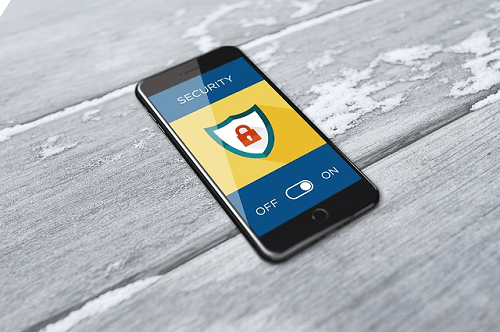
Data protection with smartphones is increasingly important


As more and more social processes are carried out with the help of digital technology in modern times, the total amount of personal data today is greater than ever before. However, this development also poses an increased threat to privacy.
For example, mobile devices such as smartphones are susceptible to data misuse.
Data protection with smartphones is increasingly important
As more and more social processes are carried out with the help of digital technology in modern times, the total amount of personal data today is greater than ever before. However, this development also poses an increased threat to privacy.
For example, mobile devices such as smartphones are susceptible to data misuse.
1. Why is privacy becoming more and more relevant?
1. Why is privacy becoming more and more relevant?
Whether creating personal notes or paying for goods:
In today’s world, most people use their smartphone for a variety of functions. While mobile devices significantly increase their overall comfort in life, they also open up completely new worlds for data collectors. For example, with the help of smartphones, you can quickly create worryingly detailed user profiles.
In addition to companies, more and more hackers are making use of the new possibilities. For example, they steal data with the help of malware and then use it for criminal operations. If you do not want to become a victim of cybercrime or a transparent customer, you should pay close attention to data protection when using your smartphone.
Whether creating personal notes or paying for goods:
In today’s world, most people use their smartphone for a variety of functions. While mobile devices significantly increase their overall comfort in life, they also open up completely new worlds for data collectors. For example, with the help of smartphones, you can quickly create worryingly detailed user profiles.
In addition to companies, more and more hackers are making use of the new possibilities. For example, they steal data with the help of malware and then use it for criminal operations. If you do not want to become a victim of cybercrime or a transparent customer, you should pay close attention to data protection when using your smartphone.
2. For which other devices is data protection important?
2. For which other devices is data protection important?
As a general rule, any device that collects and shares data poses a potential threat to privacy.
Over time, tablets, notebooks and computers accumulate numerous user data that can be used by third parties. Even apparently harmless gadgets such as fitness trackers are not negligible in terms of data protection.
Thus, gadgets of this kind predominantly gather location information, which then reach the smartphone via the Internet in cloud applications of the manufacturer.
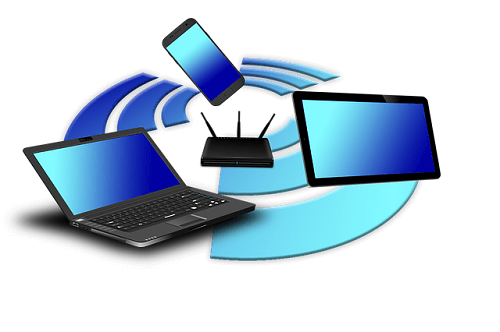
Information about your own location, along with contact information, messenger messages, and gallery content, such as photos and videos about the most commonly used data.
As a general rule, any device that collects and shares data poses a potential threat to privacy.
Over time, tablets, notebooks and computers accumulate numerous user data that can be used by third parties. Even apparently harmless gadgets such as fitness trackers are not negligible in terms of data protection.
Thus, gadgets of this kind predominantly gather location information, which then reach the smartphone via the Internet in cloud applications of the manufacturer.
Information about your own location, along with contact information, messenger messages, and gallery content, such as photos and videos about the most commonly used data.
3. How does the data from the smartphone come into the hands of third parties?
3. How does the data from the smartphone come into the hands of third parties?
There are several channels that are used by third parties to collect user data.
Many data collectors use applications such as apps or games to obtain information. Experience has shown that the majority of consumers pay little attention to rights clearance during installation.
It is not uncommon for apps to require access to sensitive areas such as contact information, even though they are unrelated to the feature.

Another channel is the use of hidden malicious software. Especially with apps from unknown sources that need to be installed separately, the risk of Trojans and similar programs is very high.
There are several channels that are used by third parties to collect user data.
Many data collectors use applications such as apps or games to obtain information. Experience has shown that the majority of consumers pay little attention to rights clearance during installation.
It is not uncommon for apps to require access to sensitive areas such as contact information, even though they are unrelated to the feature.
Another channel is the use of hidden malicious software. Especially with apps from unknown sources that need to be installed separately, the risk of Trojans and similar programs is very high.
4. How can users protect themselves against data misuse?
4. How can users protect themselves against data misuse?
Similar to when calling abroad, for example, users must be extremely cautious about installing apps.
In any case, only applications from trusted sources such as the official app stores should be downloaded. Furthermore, attention must be paid to the rights release with each installation. For example, if a flashlight app requires access to the phone book, that does not exactly mean the seriousness of the application.
To prevent unauthorized access to the location data, it is advisable to turn on the GPS function only when actively used.
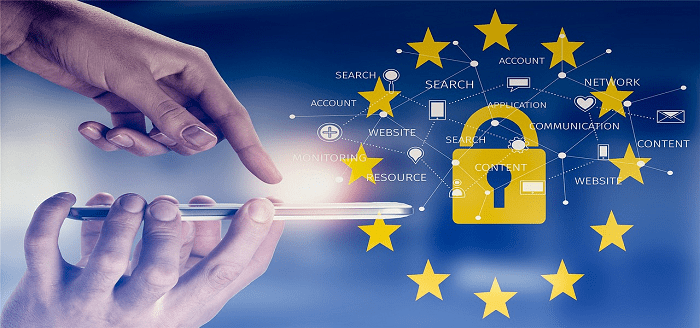
It should also be noted that pictures taken with a smartphone usually contain location information in the form of metadata. If you want to play it safe, you should remove it with an image editor.
Since a modern smartphone is similar in principle to a computer, the operating system should be adequately protected. Here it is particularly important that the software is regularly updated by updates.
In addition, it makes sense to additionally install a separate antivirus program. To minimize the data stream, security settings should also be enabled in installed apps.
For example, pop-ups and cookies can be specifically controlled in the browser. The browsing history should also be deleted regularly in the course of data protection.
Conclusion:
All in all, it shows that the risk of data misuse is disproportionately high for smartphones. In order to minimize the risk, the usage procedure and the allocation of rights should be checked very carefully.

Similar to when calling abroad, for example, users must be extremely cautious about installing apps.
In any case, only applications from trusted sources such as the official app stores should be downloaded. Furthermore, attention must be paid to the rights release with each installation. For example, if a flashlight app requires access to the phone book, that does not exactly mean the seriousness of the application.
To prevent unauthorized access to the location data, it is advisable to turn on the GPS function only when actively used.
It should also be noted that pictures taken with a smartphone usually contain location information in the form of metadata. If you want to play it safe, you should remove it with an image editor.
Since a modern smartphone is similar in principle to a computer, the operating system should be adequately protected. Here it is particularly important that the software is regularly updated by updates.
In addition, it makes sense to additionally install a separate antivirus program. To minimize the data stream, security settings should also be enabled in installed apps.
For example, pop-ups and cookies can be specifically controlled in the browser. The browsing history should also be deleted regularly in the course of data protection.
Conclusion:
All in all, it shows that the risk of data misuse is disproportionately high for smartphones. In order to minimize the risk, the usage procedure and the allocation of rights should be checked very carefully.
About the author:

About the author:
Popular Posts:

Dynamic ranges in Excel: OFFSET function
The OFFSET function in Excel creates a flexible reference. Instead of fixing =SUM(B5:B7), the function finds the range itself, e.g., for the "last 3 months". Ideal for dynamic charts or dashboards that grow automatically.

Mastering the INDIRECT function in Excel
The INDIRECT function in Excel converts text into a real reference. Instead of manually typing =January!E10, use =INDIRECT(A2 & "!E10"), where A2 contains 'January'. This allows you to easily create dynamic summaries for multiple worksheets.

From assistant to agent: Microsoft’s Copilot
Copilot is growing up: Microsoft's AI is no longer an assistant, but a proactive agent. With "Vision," it sees your Windows desktop; in M365, it analyzes data as a "Researcher"; and in GitHub, it autonomously corrects code. The biggest update yet.

Windows 12: Where is it? The current status in October 2025
Everyone was waiting for Windows 12 in October 2025, but it didn't arrive. Instead, Microsoft is focusing on Windows 11 25H2 and "Copilot+ PC" features. We'll explain: Is Windows 12 canceled, postponed, or is it already available as an AI update for Windows 11?
Blocking websites on Windows using the hosts file
Want to block unwanted websites in Windows? You can do it without extra software using the hosts file. We'll show you how to edit the file as an administrator and redirect domains like example.de to 127.0.0.1. This will block them immediately in all browsers.

The “Zero Inbox” method with Outlook: How to permanently get your mailbox under control.
Caught red-handed? Your Outlook inbox has 1000+ emails? That's pure stress. Stop the email deluge with the "Zero Inbox" method. We'll show you how to clean up your inbox and regain control using Quick Steps and rules.
Offers 2024: Word & Excel Templates











Popular Posts:
Dynamic ranges in Excel: OFFSET function
The OFFSET function in Excel creates a flexible reference. Instead of fixing =SUM(B5:B7), the function finds the range itself, e.g., for the "last 3 months". Ideal for dynamic charts or dashboards that grow automatically.
Mastering the INDIRECT function in Excel
The INDIRECT function in Excel converts text into a real reference. Instead of manually typing =January!E10, use =INDIRECT(A2 & "!E10"), where A2 contains 'January'. This allows you to easily create dynamic summaries for multiple worksheets.
From assistant to agent: Microsoft’s Copilot
Copilot is growing up: Microsoft's AI is no longer an assistant, but a proactive agent. With "Vision," it sees your Windows desktop; in M365, it analyzes data as a "Researcher"; and in GitHub, it autonomously corrects code. The biggest update yet.
Windows 12: Where is it? The current status in October 2025
Everyone was waiting for Windows 12 in October 2025, but it didn't arrive. Instead, Microsoft is focusing on Windows 11 25H2 and "Copilot+ PC" features. We'll explain: Is Windows 12 canceled, postponed, or is it already available as an AI update for Windows 11?
Blocking websites on Windows using the hosts file
Want to block unwanted websites in Windows? You can do it without extra software using the hosts file. We'll show you how to edit the file as an administrator and redirect domains like example.de to 127.0.0.1. This will block them immediately in all browsers.
The “Zero Inbox” method with Outlook: How to permanently get your mailbox under control.
Caught red-handed? Your Outlook inbox has 1000+ emails? That's pure stress. Stop the email deluge with the "Zero Inbox" method. We'll show you how to clean up your inbox and regain control using Quick Steps and rules.
Offers 2024: Word & Excel Templates

























