

Cloud Working – what is behind digital collaboration?


The Internet is constantly evolving and has a massive impact on the world of work. In order for employers and employees to remain competitive in the long term, they must adapt to changing circumstances and use new technologies for themselves.
One of the biggest innovations of recent years is the so-called cloud working – the cooperation from any place in the world.
Cloud Working – what is behind digital collaboration?
The Internet is constantly evolving and has a massive impact on the world of work. In order for employers and employees to remain competitive in the long term, they must adapt to changing circumstances and use new technologies for themselves.
One of the biggest innovations of recent years is the so-called cloud working – the cooperation from any place in the world.
1. Why Cloud Working at All?
1. Why Cloud Working at All?
Computer technology is developing at a rapid pace. More powerful processors, faster memory, and ever-increasing capacity hard drives make it possible to work on projects that would have been unthinkable a few years ago or required an incredible amount of computation time. At the same time, fast Internet is increasingly available across the board, making it easy to transfer large amounts of data in the shortest possible time.
These technological innovations make it possible to work on large projects in which the limiting factor increasingly becomes the human being himself. Businesses often rely on the world’s leading professionals in specific areas.
In order to be attractive for these employees as employers, and to have an advantage over the competition, they must create correspondingly attractive working conditions.

Home work, freely assignable working hours and global presence play a crucial role here. The open-plan office as a suitable workplace has just as long-lived as the e-mail as the number one medium for the transmission of large amounts of data. The cloud solves all problems in one go.
Computer technology is developing at a rapid pace. More powerful processors, faster memory, and ever-increasing capacity hard drives make it possible to work on projects that would have been unthinkable a few years ago or required an incredible amount of computation time. At the same time, fast Internet is increasingly available across the board, making it easy to transfer large amounts of data in the shortest possible time.
These technological innovations make it possible to work on large projects in which the limiting factor increasingly becomes the human being himself. Businesses often rely on the world’s leading professionals in specific areas.
In order to be attractive for these employees as employers, and to have an advantage over the competition, they must create correspondingly attractive working conditions.
Home work, freely assignable working hours and global presence play a crucial role here. The open-plan office as a suitable workplace has just as long-lived as the e-mail as the number one medium for the transmission of large amounts of data. The cloud solves all problems in one go.
2. What does Cloud Working offer?
2. What does Cloud Working offer?
First of all, a cloud does not offer much more than external storage on servers from other companies or on company-owned servers. But this seemingly small innovation opens up completely new possibilities for a company and its employees at work. The cloud enables a variety of people to collaborate on large projects.
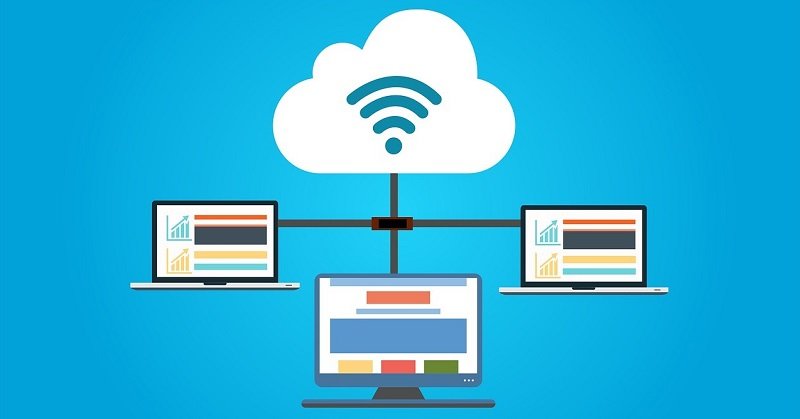
It is a logical evolution of the local network. Instead of wiring within the enterprise using LAN cables between each computer, shared access to the storage and all data on it is via the Internet – wirelessly even wireless.
First of all, a cloud does not offer much more than external storage on servers from other companies or on company-owned servers. But this seemingly small innovation opens up completely new possibilities for a company and its employees at work. The cloud enables a variety of people to collaborate on large projects.
It is a logical evolution of the local network. Instead of wiring within the enterprise using LAN cables between each computer, shared access to the storage and all data on it is via the Internet – wirelessly even wireless.
3. The Benefits of Cloud Working
3. The Benefits of Cloud Working
In the classic world of work, companies and employees are bound together spatially and temporally. An employee must go to his office to work hours. The company takes no account of the employee and his other life. On the surface, this seems to be an advantage, as it puts the company itself first.
In fact, a company harms itself by doing so. Even if an employee is present, this does not mean that he is well rested or able to work in a concentrated manner. In fact, more and more studies show that the natural sleep rhythm is postponed further, meaning that real performance is not achieved until late in the morning.
Cloud Working allows each employee to choose their own working hours and work from anywhere, assuming an Internet connection.
This makes him more motivated, well-rested and focused, allowing him to pay more attention to the company he works for. This benefits a company and makes it attractive to more employees.
Because with increasing demands on specialists, companies have to be more and more internationally present. Free choice of working hours and local freedom allow professionals around the world to work in the cloud. It is not only possible to exchange individual data packets, as it would be possible by e-mail, but in the cloud can also be installed highly specialized software, which not every employee can have on his own computer or could make good use of.
In the classic world of work, companies and employees are bound together spatially and temporally. An employee must go to his office to work hours. The company takes no account of the employee and his other life. On the surface, this seems to be an advantage, as it puts the company itself first.
In fact, a company harms itself by doing so. Even if an employee is present, this does not mean that he is well rested or able to work in a concentrated manner. In fact, more and more studies show that the natural sleep rhythm is postponed further, meaning that real performance is not achieved until late in the morning.
Cloud Working allows each employee to choose their own working hours and work from anywhere, assuming an Internet connection.
This makes him more motivated, well-rested and focused, allowing him to pay more attention to the company he works for. This benefits a company and makes it attractive to more employees.
Because with increasing demands on specialists, companies have to be more and more internationally present. Free choice of working hours and local freedom allow professionals around the world to work in the cloud. It is not only possible to exchange individual data packets, as it would be possible by e-mail, but in the cloud can also be installed highly specialized software, which not every employee can have on his own computer or could make good use of.
4. What do you need for Cloud Working?
4. What do you need for Cloud Working?
There are two ways to work in a cloud. One of them is the work of specialized providers in an external cloud or running their own cloud. Both variants have advantages and disadvantages. An external cloud is not controllable when it comes to failures or security problems. A separate cloud is more maintenance intensive.
There are many suitable providers for running an external cloud. However, it makes more sense to search for a suitable NAS server for your own cloud and to remain independent.

There are two ways to work in a cloud. One of them is the work of specialized providers in an external cloud or running their own cloud. Both variants have advantages and disadvantages. An external cloud is not controllable when it comes to failures or security problems. A separate cloud is more maintenance intensive.
There are many suitable providers for running an external cloud. However, it makes more sense to search for a suitable NAS server for your own cloud and to remain independent.
About the Author:

About the Author:
Popular Posts:

Dynamic ranges in Excel: OFFSET function
The OFFSET function in Excel creates a flexible reference. Instead of fixing =SUM(B5:B7), the function finds the range itself, e.g., for the "last 3 months". Ideal for dynamic charts or dashboards that grow automatically.

Mastering the INDIRECT function in Excel
The INDIRECT function in Excel converts text into a real reference. Instead of manually typing =January!E10, use =INDIRECT(A2 & "!E10"), where A2 contains 'January'. This allows you to easily create dynamic summaries for multiple worksheets.

From assistant to agent: Microsoft’s Copilot
Copilot is growing up: Microsoft's AI is no longer an assistant, but a proactive agent. With "Vision," it sees your Windows desktop; in M365, it analyzes data as a "Researcher"; and in GitHub, it autonomously corrects code. The biggest update yet.

Windows 12: Where is it? The current status in October 2025
Everyone was waiting for Windows 12 in October 2025, but it didn't arrive. Instead, Microsoft is focusing on Windows 11 25H2 and "Copilot+ PC" features. We'll explain: Is Windows 12 canceled, postponed, or is it already available as an AI update for Windows 11?

Blocking websites on Windows using the hosts file
Want to block unwanted websites in Windows? You can do it without extra software using the hosts file. We'll show you how to edit the file as an administrator and redirect domains like example.de to 127.0.0.1. This will block them immediately in all browsers.

The “Zero Inbox” method with Outlook: How to permanently get your mailbox under control.
Caught red-handed? Your Outlook inbox has 1000+ emails? That's pure stress. Stop the email deluge with the "Zero Inbox" method. We'll show you how to clean up your inbox and regain control using Quick Steps and rules.
Offers 2024: Word & Excel Templates











Popular Posts:
Dynamic ranges in Excel: OFFSET function
The OFFSET function in Excel creates a flexible reference. Instead of fixing =SUM(B5:B7), the function finds the range itself, e.g., for the "last 3 months". Ideal for dynamic charts or dashboards that grow automatically.
Mastering the INDIRECT function in Excel
The INDIRECT function in Excel converts text into a real reference. Instead of manually typing =January!E10, use =INDIRECT(A2 & "!E10"), where A2 contains 'January'. This allows you to easily create dynamic summaries for multiple worksheets.
From assistant to agent: Microsoft’s Copilot
Copilot is growing up: Microsoft's AI is no longer an assistant, but a proactive agent. With "Vision," it sees your Windows desktop; in M365, it analyzes data as a "Researcher"; and in GitHub, it autonomously corrects code. The biggest update yet.
Windows 12: Where is it? The current status in October 2025
Everyone was waiting for Windows 12 in October 2025, but it didn't arrive. Instead, Microsoft is focusing on Windows 11 25H2 and "Copilot+ PC" features. We'll explain: Is Windows 12 canceled, postponed, or is it already available as an AI update for Windows 11?
Blocking websites on Windows using the hosts file
Want to block unwanted websites in Windows? You can do it without extra software using the hosts file. We'll show you how to edit the file as an administrator and redirect domains like example.de to 127.0.0.1. This will block them immediately in all browsers.
The “Zero Inbox” method with Outlook: How to permanently get your mailbox under control.
Caught red-handed? Your Outlook inbox has 1000+ emails? That's pure stress. Stop the email deluge with the "Zero Inbox" method. We'll show you how to clean up your inbox and regain control using Quick Steps and rules.
Offers 2024: Word & Excel Templates

























