

Password madness: Why passkeys are the future


We all know the ritual: create a new account, come up with a password that must contain an uppercase letter, a number, and a special character, immediately forget it, and finally click “Reset password.”
For decades, passwords were the standard for digital security—and simultaneously the biggest security risk. But that era is drawing to a close. The solution is Passkeys.
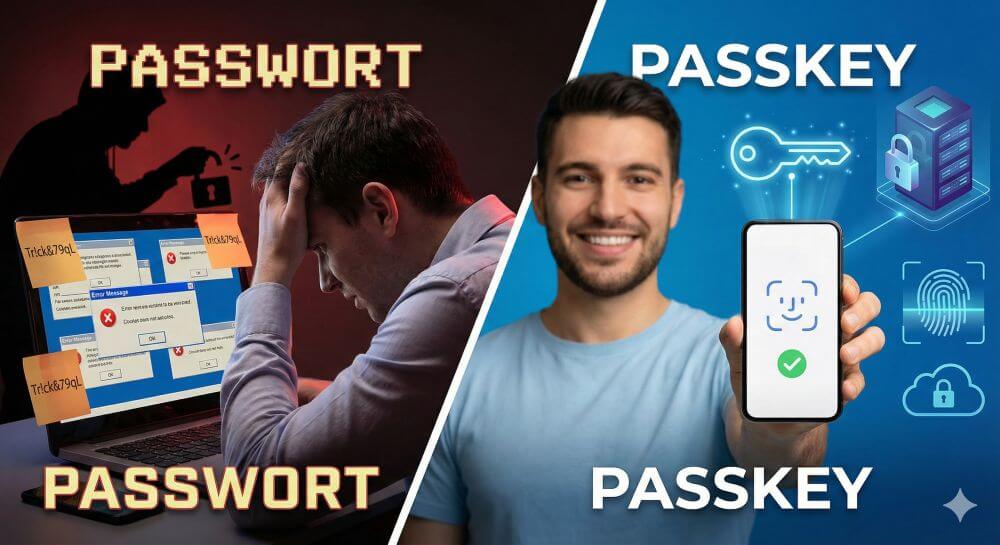
What exactly is a passkey?
A passkey is a new way to log in that completely eliminates the need for passwords. Instead of typing in a string of characters (which can be stolen or guessed), you simply use the device you already own—your smartphone, tablet, or laptop.
The technology is based on standards from the FIDO Alliance, a consortium of tech giants like Apple, Google, and Microsoft that have agreed on a common, secure standard.
In short: A passkey turns your device into the key to your online accounts.
How does that work technically?
Behind the scenes, passkeys use asymmetric cryptography (public-key cryptography). This sounds complicated, but it’s actually quite simple:
- The key pair: When creating a passkey, two keys are generated.
- The private key: This is securely stored on your device (e.g., in the security chip of an iPhone or Android phone). It never leaves the device.
- The public key: This is sent to the service (e.g., Google, PayPal, Amazon) and stored there.
- The login: When you want to log in, the server presents your device with a mathematical problem. Your device solves this problem using the private key and sends the solution back.
The authorization: You simply confirm the process using biometrics (Face ID, fingerprint) or your device PIN.
The decisive advantages over passwords
We have compiled an overview of why passkeys are the better alternative to passwords:
| Advantage | Explanation |
|---|---|
| Protection against phishing | That’s the biggest advantage. A passkey is tied to a specific website. Even if you’re lured to a deceptively realistic fake website, your device will refuse to log in because the domain is incorrect. |
| No server hacks | When a company is hacked, the attackers don’t find passwords, only useless public keys. Your account remains secure. |
| comfort | No more memorizing complex strings like Tr!ck&79qL. A glance or a fingerprint is all it takes. |
| synchronization | Passkeys are securely synchronized between your own devices via the cloud (iCloud Keychain, Google Password Manager). |
Device switching & backup of passkeys
One of the most common concerns when switching to passkeys is: “What happens if I lose my phone or buy a new one? Will I lock myself out?”
The answer depends on how you manage your passkeys and whether you’re changing operating systems. Here’s what’s important when switching devices:
1. Switching within the same “ecosystem” (The usual case)
If you’re switching from one iPhone to a new iPhone or from one Android device to a new Android device, the process is extremely simple.
- Apple: Passkeys are stored in iCloud Keychain. As soon as you sign in to your new iPhone with your Apple ID, all your passkeys are automatically available.
- Google/Android: Here, the Google Password Manager takes care of it. Sign in to your new device with your Google account, and the passkeys will be synced.
Important: Make sure cloud synchronization (iCloud or Google Sync) was enabled on your old device before erasing it.
2. Switching Systems (e.g., from iPhone to Android)
This is where things get a bit more complex, as Apple and Google don’t directly share their “keychains.” When switching systems, you have two options:
- The QR code method: You want to log in on your new Android phone, but the passkey is on your old iPad? The website displays a QR code. Scan this with your old device (the one that has the passkey). Confirm the login via a secure Bluetooth connection. Tip: Immediately create a new passkey on your new device.
- Third-party password managers: Services like 1Password, Dashlane, or Bitwarden now also support passkeys. The big advantage: These apps work independently of the operating system. If you save your passkeys there, you have access to them regardless of whether you use Windows, iOS, Android, or macOS.
3. The Golden Rule: Don’t Delete the Old Device Immediately
Never delete your old smartphone or laptop before the new device is fully set up. Keep the old device in a drawer for a few days as a “security key.” Use this time to ensure that you have access to all important services (banking, email, social media) with the new device and have registered new passkeys there if necessary.
4. Set up recovery options
Since you no longer have a password to reset via email, alternative access methods are essential. Always provide the following information for important accounts:
- A phone number for SMS verification.
- An alternative email address.
- If possible: A physical security key (e.g., YubiKey) as an emergency backup stored in a safe.
Disadvantages and risks
No technology is perfect, and we have to be honest and admit that even with passkeys, there are still hurdles to getting used to them:
Device dependency: You need access to your devices. If you lose your phone and haven’t enabled cloud backup, access can be difficult (which is why recovery methods are important).
Platform limitations: Although it’s improving, sharing passkeys between Apple and Windows/Android devices is still somewhat more cumbersome than simply typing a password (often possible by scanning a QR code).
Availability: Not all websites offer passkeys yet, although the number is growing daily (e.g., Amazon, Google, WhatsApp, and Nintendo already support them).
Conclusion: Should you switch
Yes, absolutely!
Passkeys are more secure and user-friendly than anything we’ve had before. They solve the “weakest link” problem (the person choosing “123456” as their password). Even though we’re still in a transition phase where passwords and passkeys coexist, the future clearly belongs to keyless login.
If a service offers you the option to create a passkey today, do it.

Beliebte Beiträge

Warum dein Excel-Kurs Zeitverschwendung ist – was du wirklich lernen solltest!
Hand aufs Herz: Wann hast du zuletzt eine komplexe Excel-Formel ohne Googeln getippt? Eben. KI schreibt heute den Code für dich. Erfahre, warum klassische Excel-Trainings veraltet sind und welche 3 modernen Skills deinen Marktwert im Büro jetzt massiv steigern.

Microsoft Loop in Teams: The revolution of your notes?
What exactly are these Loop components in Microsoft Teams? We'll show you how these "living mini-documents" can accelerate your teamwork. From dynamic agendas to shared, real-time checklists – discover practical use cases for your everyday work.

Career booster 2026: These Microsoft Office skills will take you further!
A new year, new career opportunities! But which Office skills will really be in demand in 2026? "Skilled use" is no longer enough. We'll show you today's must-haves – like advanced Excel, using AI in the office, and relevant certifications for your resume.

Excel Tutorial: How to quickly and safely remove duplicates
Duplicate entries in your Excel lists? This distorts your data. Our tutorial shows you, using a practical example, how to clean up your data in seconds with the "Remove Duplicates" function – whether you want to delete identical rows or just values in a column.

Dynamic ranges in Excel: OFFSET function
The OFFSET function in Excel creates a flexible reference. Instead of fixing =SUM(B5:B7), the function finds the range itself, e.g., for the "last 3 months". Ideal for dynamic charts or dashboards that grow automatically.

Mastering the INDIRECT function in Excel
The INDIRECT function in Excel converts text into a real reference. Instead of manually typing =January!E10, use =INDIRECT(A2 & "!E10"), where A2 contains 'January'. This allows you to easily create dynamic summaries for multiple worksheets.
Offers 2024: Word & Excel Templates






























