

A quiet farewell: Why the end of Google Assistant was inevitable


Do you remember the classic “Hey Google, what’s the weather like?” and the robotic reply that followed? Today, in late autumn 2025, it seems like a relic from a bygone era. The Google Assistant, once the heart of the Android ecosystem and the mastermind behind millions of smart homes, is effectively history.
It wasn’t shut down with a bang, but rather replaced by a gradual yet radical evolution. Its successor, Gemini, has completely taken over. But why did the faithful assistant have to make way? A look at the transformation.
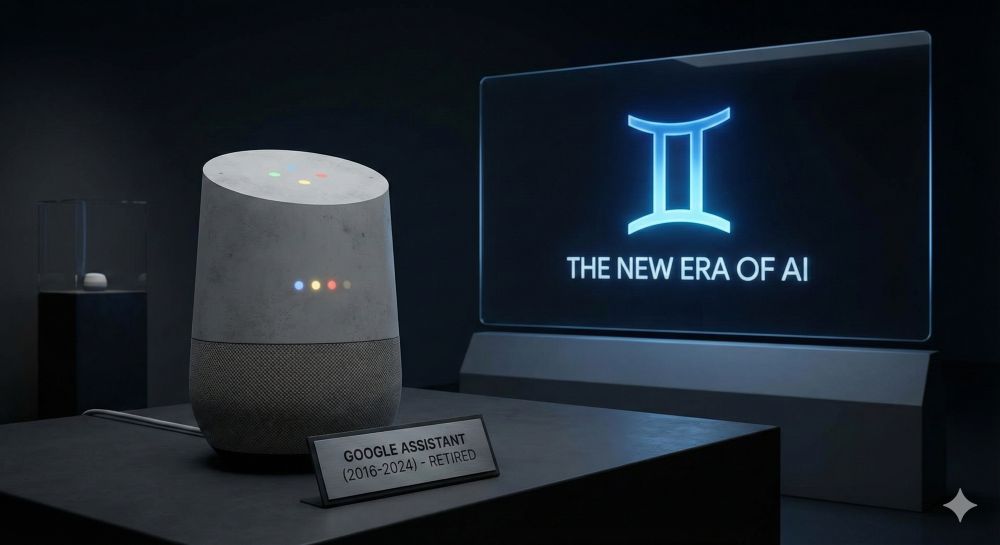
From order receiver to thought partner
The original Google Assistant (launched in 2016) was based on a simple principle: command and execution. It was a master at running scripts.
- “Set the timer for 10 minutes.”
- “Play music on Spotify.”
The problem? It didn’t understand the world. It only understood keywords. As soon as a question became more complex or required context (“Do you remember the restaurant my brother recommended last week?”), the old Assistant hit a wall.
The turning point: With the rise of Large Language Models (LLMs) in 2023 and 2024, user expectations changed dramatically. We no longer wanted to dictate; we wanted to converse. Google realized that the Assistant’s old code base was incapable of providing this cognitive flexibility. It had to die so that Gemini could live.
The difficult transition phase (2024–2025)
The transition was anything but smooth at first. Many users will remember 2024, when Google began pushing Gemini on smartphones.
- The latency problem: Initially, Gemini took too long to do simple things like turn on the lights because the request had to be routed through massive cloud models.
- Loss of functionality: Popular, niche Assistant features (like certain routines or third-party integrations) suddenly stopped working.
But today, at the end of 2025, the situation has changed dramatically. Thanks to more powerful NPUs (Neural Processing Units) in modern smartphones (like the Pixel 10 series) and optimized “Gemini Nano” models, most standard commands run locally and lightning fast. The gap between “intelligence” and “speed” has closed.
What we have today: Context is king
The crucial difference between the outdated Assistant and today’s AI standard is multimodal context.
If you look at your phone today and say, “What kind of building is that over there, and is it still open?”, the AI (Gemini) analyzes the camera image, recognizes your location, checks the opening hours, and answers in context. The old Assistant would have simply given you a list of Google search results for the word “building.”
In the smart home, the end of the Assistant means we no longer have to speak like programmers:
- Old: “Hey Google, turn the living room lights down to 50% and play the Jazz playlist.”
- New (2025): “I’m in the mood for a relaxing evening, make it cozy.” – The AI understands the intention, dims the lights, selects suitable music, and might even lower the blinds.
A Look Back: The Legacy of the Assistant
Should we be sad? A little nostalgia is allowed. The Google Assistant made voice control accessible to the masses. It was reliable in its simplicity. There was a time when we knew exactly what it could and couldn’t do. But the tech industry never stands still. The Assistant was a tool of “Web 2.0″—a voice interface for Google Search. Today’s system is an agent. It doesn’t just execute; it plans and acts proactively.
Key milestones of the transition
| Year | Event | Meaning |
|---|---|---|
| 2016 | Start Google Assistant | The beginning of mass-market voice control. |
| 2023 | Bard / Gemini announcement | The beginning of generative AI at Google. |
| 2024 | Gemini replaces the Assistant app | The first step towards replacing it with Android. |
| 2025 | Full integration | Smart speakers and Nest devices primarily run on an LLM basis. |
Conclusion: The king is dead, long live AI!
The term “Google Assistant” might still pop up here and there in old settings menus, but as a product, it no longer exists. It has been absorbed. The end of Google Assistant marks the moment when computers ceased to be rigid machines and began to truly understand us.
It wasn’t a death by failure, but by obsolescence. We traded the Assistant for a partner.

Beliebte Beiträge

Warum dein Excel-Kurs Zeitverschwendung ist – was du wirklich lernen solltest!
Hand aufs Herz: Wann hast du zuletzt eine komplexe Excel-Formel ohne Googeln getippt? Eben. KI schreibt heute den Code für dich. Erfahre, warum klassische Excel-Trainings veraltet sind und welche 3 modernen Skills deinen Marktwert im Büro jetzt massiv steigern.

Microsoft Loop in Teams: The revolution of your notes?
What exactly are these Loop components in Microsoft Teams? We'll show you how these "living mini-documents" can accelerate your teamwork. From dynamic agendas to shared, real-time checklists – discover practical use cases for your everyday work.

Career booster 2026: These Microsoft Office skills will take you further!
A new year, new career opportunities! But which Office skills will really be in demand in 2026? "Skilled use" is no longer enough. We'll show you today's must-haves – like advanced Excel, using AI in the office, and relevant certifications for your resume.

Excel Tutorial: How to quickly and safely remove duplicates
Duplicate entries in your Excel lists? This distorts your data. Our tutorial shows you, using a practical example, how to clean up your data in seconds with the "Remove Duplicates" function – whether you want to delete identical rows or just values in a column.

Dynamic ranges in Excel: OFFSET function
The OFFSET function in Excel creates a flexible reference. Instead of fixing =SUM(B5:B7), the function finds the range itself, e.g., for the "last 3 months". Ideal for dynamic charts or dashboards that grow automatically.

Mastering the INDIRECT function in Excel
The INDIRECT function in Excel converts text into a real reference. Instead of manually typing =January!E10, use =INDIRECT(A2 & "!E10"), where A2 contains 'January'. This allows you to easily create dynamic summaries for multiple worksheets.
Offers 2024: Word & Excel Templates






























