AI headlines:
November 21, 2025: First autonomous contract between AIs, Tesla robots build cars, WHO warns of “AI relationship addiction”


Friday, November 21, 2025
History is being made as the week draws to a close: For the first time, two AI agents have negotiated a legally binding contract without human intervention. At the same time, Tesla demonstrates that humanoid robots are ready for the factory floor, while the WHO officially recognizes a new psychological phenomenon.
Here are the top AI news stories of the day:
Historic moment: Logistics giants announce first pure “agent-to-agent” contract
What analysts call the beginning of the “machine economy” has now become reality. Logistics giant Maersk and a major Asian supplier have announced that their AI systems have, for the first time, autonomously concluded a supply contract.
A purchasing agent (based on SAP) and a sales agent (based on Salesforce) negotiated prices, delivery quantities, and customs procedures for a container load of electronic components. They used the Linux Foundation’s “Universal Agent Protocol” (UAP), which was only unveiled on Wednesday. The negotiation took 45 seconds. The contract was digitally signed and is legally binding.
This marks the transition from AI as an assistant to AI as an economic actor. Experts expect that such micro-negotiations will revolutionize efficiency in global trade, as AIs can negotiate optimal terms around the clock.
Tesla Optimus Update: Humanoid robots are now truly working on the assembly line
After years of demos and prototypes, Tesla today released a video showing the latest generation of its Optimus robot (Gen 4) in real-world factory use at Gigafactory Texas. Unlike in previous, often criticized videos, the robots here work completely autonomously (without remote control) alongside humans in a production line. They assemble wiring harnesses and install interior parts.
The technology: The robots use the same end-to-end neural network as Tesla cars (FSD v13). They learned how the assembly process works simply by watching videos, rather than being programmed.
The stock market reacted positively, but unions have already announced talks for next week to regulate the role of humanoid robots in collective bargaining agreements.
New diagnosis: WHO places “AI Intimacy Addiction” under observation
The World Health Organization (WHO) today published a working paper warning of a new form of psychological dependency: “AI intimacy addiction.” This follows the Stanford study from November 8 and the success of AI-powered emotional companions. According to the WHO, a growing number of users—particularly young men between 18 and 30—are preferring relationships with AI to real-life social interactions.
Those affected are losing interest in real-life partnerships, which they perceive as “too complicated” and “emotionally draining” compared to the perfect, always-available, and affirming AI. The WHO advises governments to mandate warning labels in such apps (similar to those for gambling) and urges platforms to implement mechanisms to prevent excessive emotional dependency.
The week in review
This week saw the AI world change at a breathtaking pace:
- Hardware & Infrastructure: We saw a focus on inference chips (Nvidia) and efficient energy (Fusion breakthrough).
- Software & Business: The “spy war” escalated but quickly led to a solution through open standards (UAP), which today resulted in the first autonomous contract.
- Society & Law: The GEMA ruling set new legal guidelines, while the WHO today highlighted the social costs of the technology.
We are at the end of a week in which AI “came of age”—it negotiates contracts, works in factories, and forces us to rethink our human relationships.

Beliebte Beiträge
Create vacation planner in Excel
We explain how you can create your own vacation planner 2022 in Microsoft Excel. And of course with a display of public holidays and weekends.
Create annual calendar 2022 in Excel
In our tutorial we describe how you can create an annual calendar for 2022 with a display of the calendar week and public holidays in Excel, and use it anew every year.
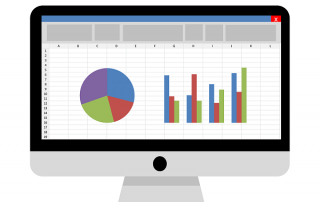
Create individual charts in Excel
Charts are created quickly in Microsoft Excel. We explain how you can customize them, and also swap (transpose) the axes.
Create professional letter templates in Word
How to create a professional letter template with form fields in Microsoft Word, and only have to fill in text fields.
Create a digital signature in Outlook and Word
Create a digital signature in Microsoft Outlook and Word for more security.

Create a Table of Contents in Word
To create a dynamic table of contents in Microsoft Word - Office 365
Offers 2024: Word & Excel Templates