Office, Karriere und Technik Blog

Office, Karriere und Technik Blog

Excel budget book with dashboard and stock market indices

UVP: Original price was: 39,95 €.Autumn special only: Current price is: 19,95 €.

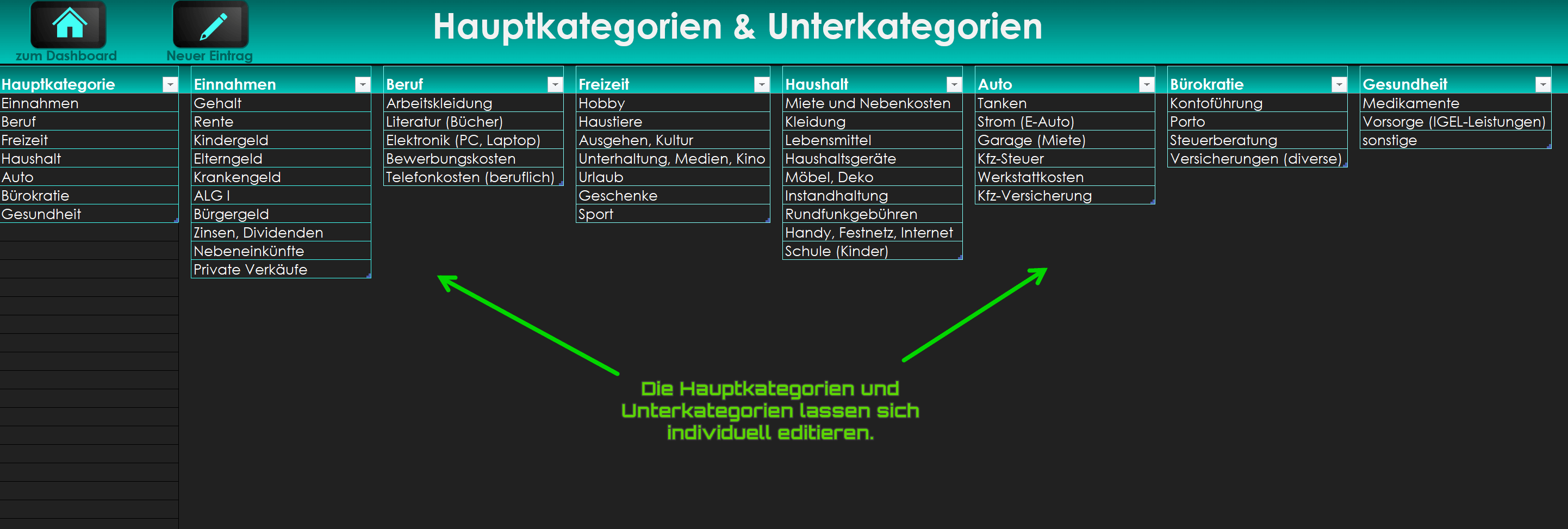
With our Excel budget book you always have control over your finances. Our budget book consists of a total of 3 spreadsheets that allow you to define your main and subcategories individually. For example, you can set a main category like “Car” and subcategories like “Fuel“, “Insurance“, “Tax strong>” and “Repairs“. Alternatively, you can choose a main category like “Income” and subcategories like “Salary“, “Interest income” and “Private Sales“.

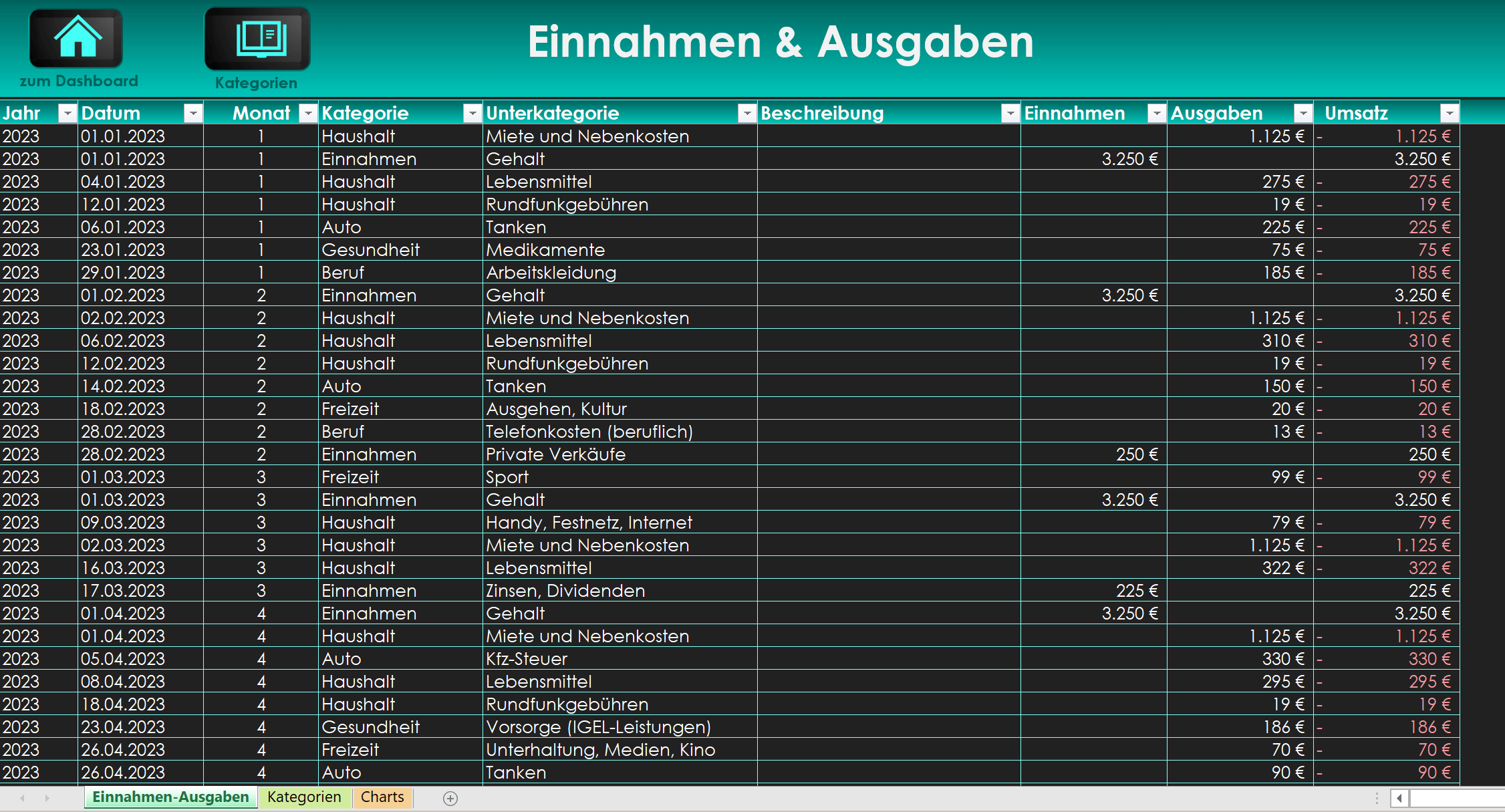
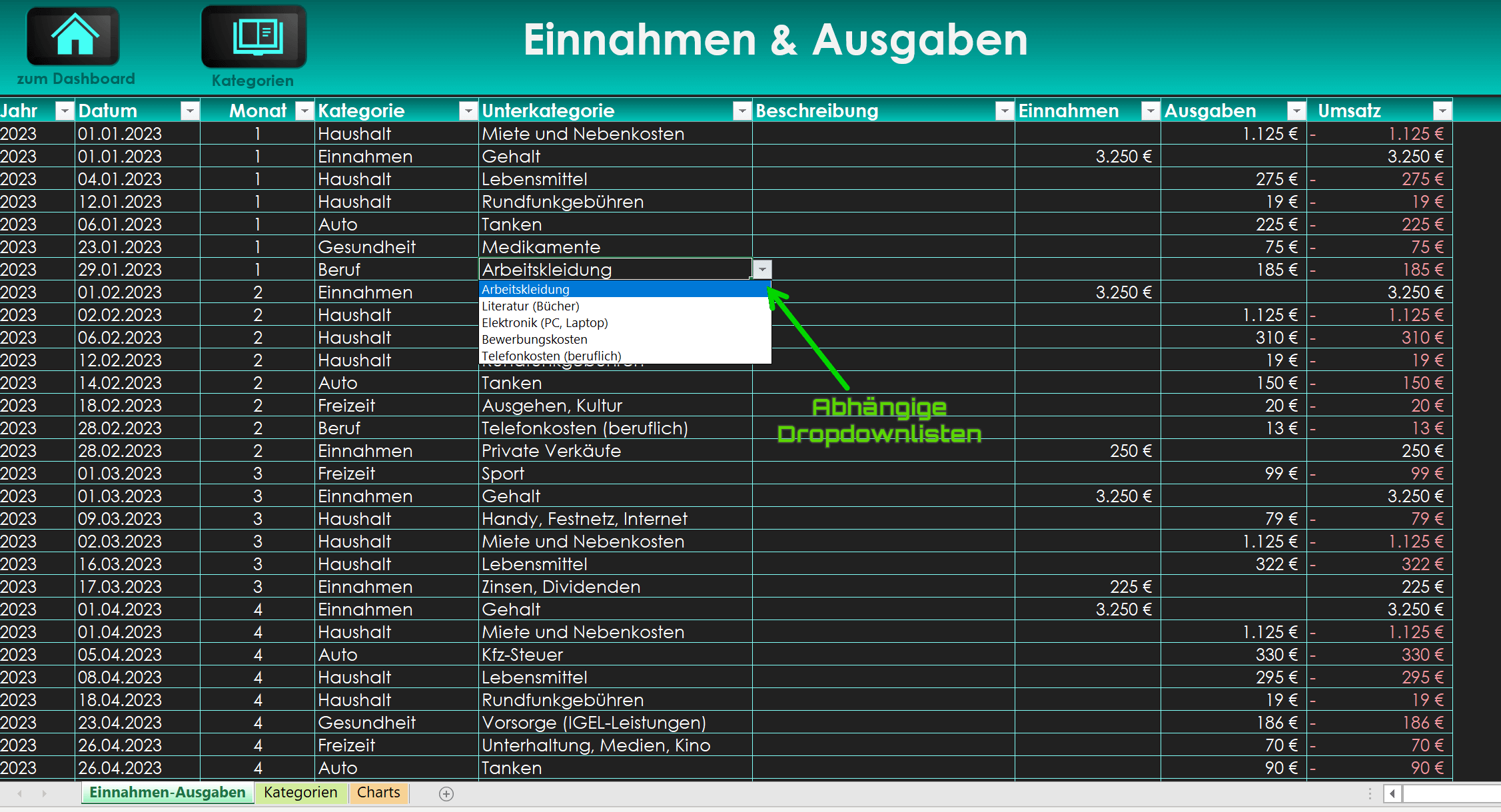
In the “Income and expenses” spreadsheet, you can easily select the relevant main and subcategories from drop-down lists and enter your income and expenses. In this way, errors and multiple designations are avoided.

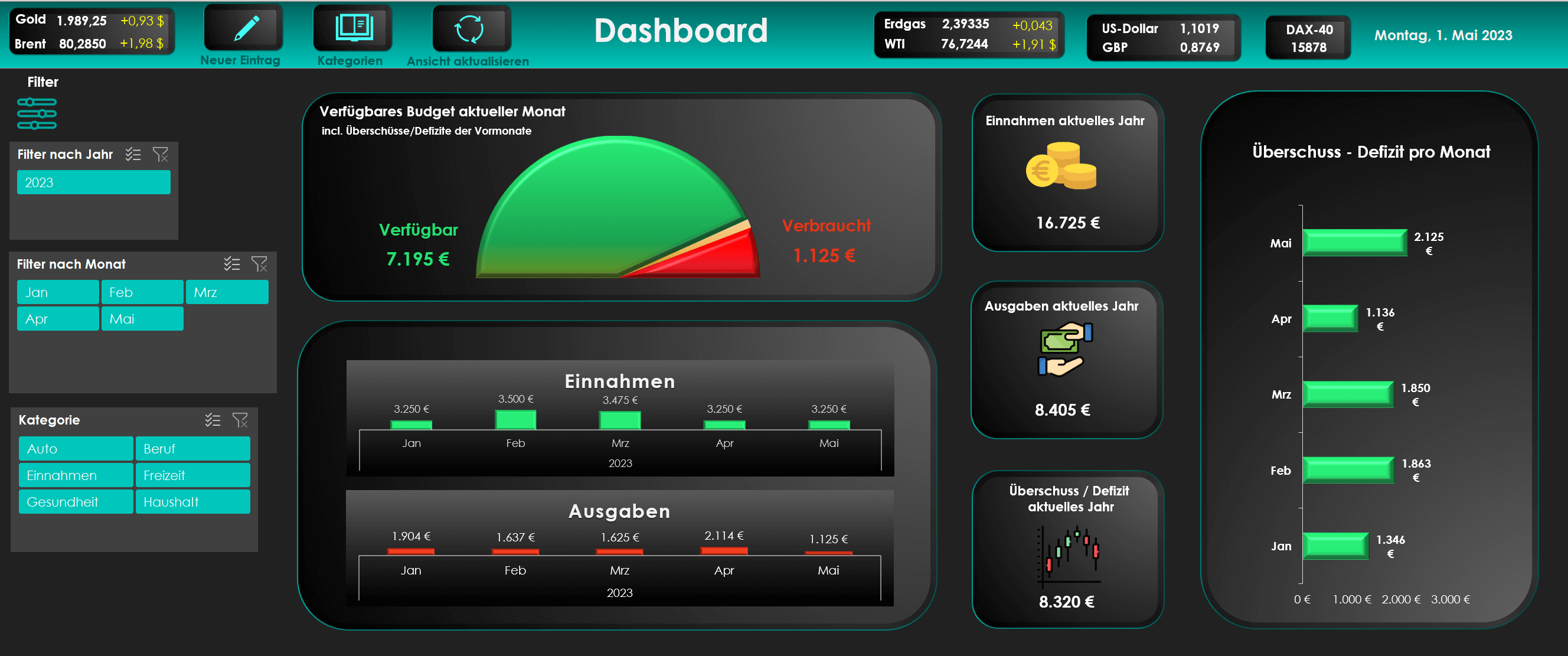
In the spreadsheet “Dashboard” you will find a comprehensive graphical overview that shows you the surpluses and deficits, total income, total expenses and sales for the current year month by month. In addition, the available budget for the rest of the month is shown, taking into account previous surpluses or deficits. Monthly income and expenses are also detailed. The charts can be customized using data filters by year, month, and category, so you can quickly see which income and expense items are particularly high.

The “Dashboard” spreadsheet also displays the most important stock market indices such as the US dollar, natural gas, Brent oil, WTI oil, GBP, gold and DAX via a web interface. This information is updated automatically when the file is opened or via an integrated button in the header.

You do not need any Excel expert knowledge to use our Excel budget book effectively! The template is freely editable and is immediately available as a digital download.

Product detail pictures:
(click to enlarge)
Offer price for only: 19,95€ 14,95

SKU: N/A Category: Tags: , ,

Description

Details

You will receive your download, which includes a PDF quick guide and the Excel budget book with dashboard. The Excel budget book can be freely adapted to your own needs. You can edit categories, subcategories, and layout as you like.
(Step by step instructions are included)

Note:
For full functionality you need a Office version from 2010 for Windows

We also recommend the following software:

Features

  • Freely adaptable Excel budget book.
  • Current display of the most important stock market indices via web interface.
  • Extensive dashboard with filter functions.
  • 1-Click navigation and update of data streams.
  • Surpluses and deficits.
  • Expenses – Income and sales per year and month.
  • Display of the budget that is still available for the current month.
  • Can be used for many years, even with over 1000 incoming and outgoing payments per month.

Matching recommendations for the product:

Popular Posts:

911, 2025

Career booster 2026: These Microsoft Office skills will take you further!

November 9th, 2025|Categories: Microsoft Office, Microsoft Excel, Microsoft Outlook, Microsoft PowerPoint, Microsoft Teams, Microsoft Word, Office 365, Software|Tags: , |

A new year, new career opportunities! But which Office skills will really be in demand in 2026? "Skilled use" is no longer enough. We'll show you today's must-haves – like advanced Excel, using AI in the office, and relevant certifications for your resume.

311, 2025

Why Zero Trust doesn’t work without identity protection!

November 3rd, 2025|Categories: Shorts & Tutorials, Artificial intelligence, AutoGPT, ChatGPT, Data Protection, Homeoffice, LLaMa, TruthGPT|Tags: , |

Zero Trust means: Trust no one, verify everyone. Identity protection is at the heart of this modern security model. Learn how IAM, MFA, Conditional Access, and the principle of least privilege effectively protect your business when the old network perimeter is gone.

211, 2025

How AI fuels cyberattacks – and how it protects us from them

November 2nd, 2025|Categories: Shorts & Tutorials, Artificial intelligence, AutoGPT, ChatGPT, Data Protection, Homeoffice, LLaMa, TruthGPT|Tags: , |

Cybercriminals are using AI for deepfakes and automated attacks. Defenses are also relying on AI: through behavioral analysis (UEBA) and automated responses (SOAR). Learn how this arms race works and how modern security strategies can protect your business.

211, 2025

Information overload: Protection & tips against digital stress

November 2nd, 2025|Categories: Shorts & Tutorials, Homeoffice|Tags: |

Constantly online, overwhelmed by news, emails & social media? Digital information overload leads to stress and concentration problems. Learn the best strategies and practical tips to effectively protect yourself, manage the chaos, and regain your focus.

111, 2025

Put an end to password chaos: Why a password manager is important

November 1st, 2025|Categories: Shorts & Tutorials, Data Protection, Google, Homeoffice, Software|Tags: , , , |

Passwords are constantly being stolen through data leaks. A password manager is your digital vault. It creates and stores strong, unique passwords for every service. This effectively protects you against identity theft through "credential stuffing".

111, 2025

Stop procrastinating: How distraction blockers can help you regain focus

November 1st, 2025|Categories: Shorts & Tutorials, Homeoffice|Tags: |

Constant digital distractions kill your productivity. Distraction blockers like Forest or Freedom help you regain focus. They specifically block distractions on your PC and mobile phone and use techniques like the Pomodoro Technique. This helps you stop procrastinating.

Anzeige

Offers 2024: Word & Excel Templates

Anzeige

You may also like…

Ads

Popular Posts:

Search by category:

Autumn Specials:

Anzeige
Go to Top