Why laptops without NPU will soon be history
Anyone buying a laptop today and only looking at processor clock speed (GHz) or RAM is investing in an outdated model. We’re not just witnessing a hardware evolution, but a radical shift. The classic personal computer, as we’ve known it for the last 30 years, is being replaced by the „AI PC.“
The reason for this transformation is a component that, until recently, was only known to insiders and now determines the future viability of your device: the NPU (Network Processing Unit).

The new architecture: Why CPU and GPU are no longer enough
For decades, the division of labor was clear: the CPU was the generalist for everything, the GPU (graphics card) the specialist for images and games. But modern software demands a third discipline: artificial intelligence.
Classic CPUs are extremely inefficient when it comes to the massive matrix calculations of modern AI. Graphics cards can handle it, but they consume so much power that the battery is drained in no time.
This is where the NPU (Neural Processing Unit) comes in. It is physically integrated on the chip and specialized in processing AI workloads extremely quickly and, above all, energy-efficiently. A laptop without an NPU in 2025 is like a car without air conditioning – it will still run, but comfort and resale value will suffer massively.
The hardware requirement: Microsoft and Apple are getting serious.
Change is not optional; it is being dictated by the software giants.
- Microsoft has introduced a two-tier system with its „Copilot+ PC“ label. Many of the new Windows features (local AI search, real-time translation, Cocreator) are not even enabled on devices without a powerful NPU (at least 40 TOPS).
- Apple is fully committed to the Neural Engine of its M-series chips with „Apple Intelligence.“ Anyone still using an old Intel Mac is effectively excluded from the entire next generation of the operating system.
The message is clear: Without an NPU, you are a second-class guest in the operating system of the future.
The killer argument is not AI, but efficiency.
Why would you buy this if you don’t even want to generate AI images? The answer is battery life.
In a traditional PC, the main processor has to power up for background tasks like noise reduction in video calls or facial recognition. In a modern AI PC, the NPU handles these „always-on“ tasks while the system is running. The result is a massive leap in efficiency. Current chips from Qualcomm (Snapdragon X), Intel (Core Ultra Series 2), and AMD (Ryzen AI) enable battery life that was previously unthinkable because the power-hungry CPU is relieved of this burden.
The market has already decided.
A look at the current offerings shows: The „classic PC“ is disappearing from store shelves.
- Premium segment: There are practically no high-end devices without an NPU anymore.
- Mid-range: The technology is rapidly trickling down to lower segments.
With „Lunar Lake,“ Intel completely rebuilt its architecture to compete in the NPU race against Apple and Qualcomm. There’s no going back to the old x86 dominance without AI acceleration.
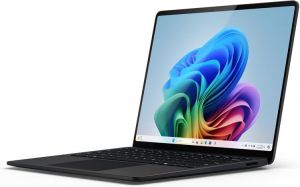
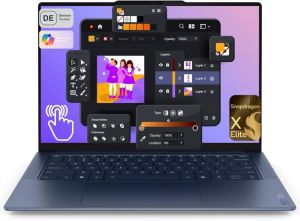
Team Qualcomm (The Battery Monsters)
These devices use the „Snapdragon X Elite/Plus“. They were the first true „Copilot+ PCs“ and often offer the longest battery life.
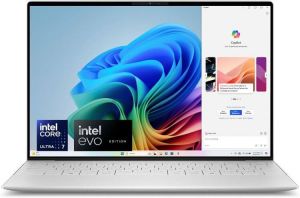
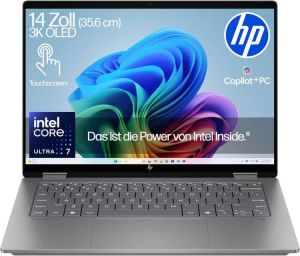
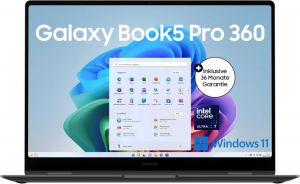
Team Intel (The counter: „Lunar Lake“)
These devices use the „Core Ultra Series 2“ (e.g., Core Ultra 7 258V). Intel has made significant strides here: The RAM is integrated directly onto the chip (like Apple’s), making them almost as efficient as the Snapdragons, but without compatibility issues.

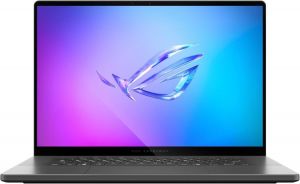
Team AMD (The Gaming Hybrids)
Devices with „Ryzen AI 300“ (Strix Point). These chips have extremely powerful NPUs (50 TOPS), but also very powerful integrated graphics cards. Ideal for people who want AI and a bit of gaming.
Team Apple (The Pioneers)
Apple uses the M4 chip family. They don’t talk about „Copilot+“, but about „Apple Intelligence“.
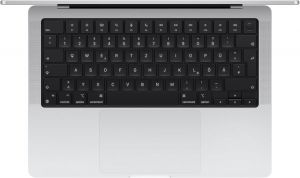
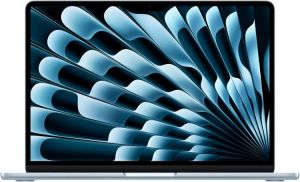
Note: We would like to point out that when buying a laptop in a store, you shouldn’t just look at the brand name (e.g., „Dell XPS“), but also at the processor name. A „Dell XPS 13“ could have an older, hot-running Intel chip or a newer, cooler Snapdragon chip. The casing looks almost identical, but the internal components are radically different.
Search terms for buyers: „Snapdragon X“, „Intel Core Ultra Series 2“ (or „200V“), „Ryzen AI 300“, „Apple M4“.
Conclusion: Don’t invest in the past.
The title might sound drastic, but it reflects the technological reality. Buying a laptop without an NPU today is comparable to buying a 3G smartphone just before the 4G breakthrough. It still works, but it’s obsolete from day one.
If you’re investing today, there’s no way around an NPU. Not necessarily because you want to chat with AI every day tomorrow—but because without one, your computer won’t be able to optimally handle updates and features in two years.

Beliebte Beiträge

Word-Formatierungen endlich im Griff – Tutorial
Verzweifeln Sie nicht an zerschossenen Word-Dokumenten! Dieser Leitfaden zeigt Ihnen, wie Sie hartnäckige Formatierungen löschen, Formatvorlagen richtig nutzen und Steuerzeichen lesen. So sparen Sie Zeit und Nerven bei der Textverarbeitung.

Passwort für Word- und Excel-Dateien vergessen: So retten Sie Ihre Daten
Ein vergessenes Passwort bei Word oder Excel ist ärgerlich, bedeutet aber nicht immer Datenverlust. Während sich Schreibschutz durch einen XML-Trick umgehen lässt, erfordern verschlüsselte Dateien spezielle Tools. Hier finden Sie alle Lösungen im Überblick.
Excel KI-Update: So nutzen Sie Python & Copilot
Vergessen Sie komplexe Formeln! Excel wird durch Python und den KI-Copilot zum intelligenten Analysten. Diese Anleitung zeigt konkrete Beispiele, wie Sie Heatmaps erstellen, Szenarien simulieren und Ihre Arbeit massiv beschleunigen. Machen Sie Ihre Tabellen fit für die Zukunft.

Der XVERWEIS: Der neue Standard für die Datensuche in Excel
Verabschieden Sie sich vom Spaltenzählen! Der XVERWEIS macht die Datensuche in Excel endlich intuitiv und sicher. Erfahren Sie in diesem Tutorial, wie die Funktion aufgebaut ist, wie Sie sie anwenden und warum sie dem SVERWEIS und WVERWEIS haushoch überlegen ist.

Nie wieder Adressen abtippen: So erstellen Sie Serienbriefe in Word
Müssen Sie hunderte Briefe versenden? Schluss mit manuellem Abtippen! Erfahren Sie, wie Sie in wenigen Minuten einen perfekten Serienbrief in Word erstellen. Von der sauberen Excel-Datenbank bis zum fertigen Druck – unser Guide führt Sie sicher durch den Prozess.

Warum dein Excel-Kurs Zeitverschwendung ist – was du wirklich lernen solltest!
Hand aufs Herz: Wann hast du zuletzt eine komplexe Excel-Formel ohne Googeln getippt? Eben. KI schreibt heute den Code für dich. Erfahre, warum klassische Excel-Trainings veraltet sind und welche 3 modernen Skills deinen Marktwert im Büro jetzt massiv steigern.
Angebote 2025/2026 in: Vorlagen