Career booster 2026:
These Microsoft Office skills will take you further!
A new year is just around the corner – the perfect time to focus on your career. Whether you’re planning a job change or want to advance in your current role, solid and up-to-date Microsoft Office skills are often key. But what exactly will be in demand in 2026? We’ll show you which skills really matter and how to demonstrate them.

More than just the basics: The new must-haves
„Proficient use of MS Office“ is a requirement in almost every job posting. But what does that actually mean today? Simply typing in Word or calculating basic sums in Excel is no longer sufficient.
Advanced Excel Skills: Data is the new gold. Skills in Power Query for automated data preparation and pivot tables for rapid analysis are in high demand. Those who are proficient in these areas save hours of manual work – a huge advantage for any employer.
AI Skills (Copilot): The integration of AI, such as Microsoft 365 Copilot, is transforming office work. Knowing how to efficiently use AI for summaries, email drafts, or data analysis (and where its limitations lie!) is quickly becoming an essential core competency.
Collaboration with Teams & Loop: Modern work is teamwork. It’s no longer just about video calls, but about the effective use of Teams channels, collaborative work on documents in real time, and the organization of information with Microsoft Loop components.
Certifications: Your skills in black and white
A resume can claim a lot. Certificates prove it.
Microsoft Office Specialist (MOS): The classic. These official Microsoft certifications are recognized worldwide and confirm your expertise in specific programs like Excel (Associate or Expert level).
LinkedIn Learning & Co.: Certificates from reputable online platforms can also enhance your resume, especially if they cover current topics like „AI in everyday office work.“
Tips for your resume
Be specific: Instead of just writing „MS Office skills,“ provide details: „Advanced Excel skills (VLOOKUP, PivotTables, Power Query)“ or „Experienced in hybrid collaboration with MS Teams.“
Show up-to-date knowledge: Mention if you’re familiar with the latest versions or features (like Copilot). This signals a willingness to learn and a modern approach.
Invest in your digital skills now. It’s an investment that’s guaranteed to pay off in 2026!

Beliebte Beiträge
Word-Formatierungen endlich im Griff – Tutorial
Verzweifeln Sie nicht an zerschossenen Word-Dokumenten! Dieser Leitfaden zeigt Ihnen, wie Sie hartnäckige Formatierungen löschen, Formatvorlagen richtig nutzen und Steuerzeichen lesen. So sparen Sie Zeit und Nerven bei der Textverarbeitung.

Passwort für Word- und Excel-Dateien vergessen: So retten Sie Ihre Daten
Ein vergessenes Passwort bei Word oder Excel ist ärgerlich, bedeutet aber nicht immer Datenverlust. Während sich Schreibschutz durch einen XML-Trick umgehen lässt, erfordern verschlüsselte Dateien spezielle Tools. Hier finden Sie alle Lösungen im Überblick.
Excel KI-Update: So nutzen Sie Python & Copilot
Vergessen Sie komplexe Formeln! Excel wird durch Python und den KI-Copilot zum intelligenten Analysten. Diese Anleitung zeigt konkrete Beispiele, wie Sie Heatmaps erstellen, Szenarien simulieren und Ihre Arbeit massiv beschleunigen. Machen Sie Ihre Tabellen fit für die Zukunft.
Der XVERWEIS: Der neue Standard für die Datensuche in Excel
Verabschieden Sie sich vom Spaltenzählen! Der XVERWEIS macht die Datensuche in Excel endlich intuitiv und sicher. Erfahren Sie in diesem Tutorial, wie die Funktion aufgebaut ist, wie Sie sie anwenden und warum sie dem SVERWEIS und WVERWEIS haushoch überlegen ist.
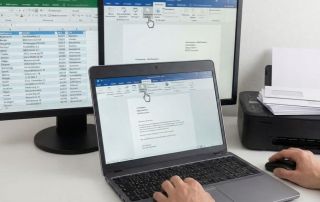
Nie wieder Adressen abtippen: So erstellen Sie Serienbriefe in Word
Müssen Sie hunderte Briefe versenden? Schluss mit manuellem Abtippen! Erfahren Sie, wie Sie in wenigen Minuten einen perfekten Serienbrief in Word erstellen. Von der sauberen Excel-Datenbank bis zum fertigen Druck – unser Guide führt Sie sicher durch den Prozess.

Warum dein Excel-Kurs Zeitverschwendung ist – was du wirklich lernen solltest!
Hand aufs Herz: Wann hast du zuletzt eine komplexe Excel-Formel ohne Googeln getippt? Eben. KI schreibt heute den Code für dich. Erfahre, warum klassische Excel-Trainings veraltet sind und welche 3 modernen Skills deinen Marktwert im Büro jetzt massiv steigern.
Angebote 2025/2026 in: Vorlagen