Affinity: Adobe’s direct challenger
In the world of digital creativity, the name Adobe was almost synonymous with professional design software for decades. Programs like Photoshop, Illustrator, and InDesign are industry standards that dominate the market. But for several years now, a serious competitor has established itself, directly challenging Adobe’s dominance: Affinity.
The relationship between Affinity and Adobe is therefore not one of partnership, but rather one of direct competition. Affinity was developed from the ground up as a powerful yet more accessible alternative to Adobe’s Creative Cloud (CC).
What is the Affinity Suite?
Affinity is a software suite for creative professionals and ambitious amateurs, developed by the British company Serif. The suite covers the three main pillars of graphic design and positions each of its programs as a direct competitor to an Adobe product:
Affinity Photo 2:
- The competitor to: Adobe Photoshop
- Purpose: Professional image editing, retouching, creation of raster graphics and compositions.
Affinity Designer 2:
- The competitor to: Adobe Illustrator
- Purpose: Vector graphics design, illustration, UI/UX design. It combines vector and raster tools in one application.
Affinity Publisher 2:
- The competitor to: Adobe InDesign
- Purpose: Desktop publishing, layout design for magazines, books, brochures, and digital publications.
A unique feature of Affinity is its „StudioLink“ technology. If a user owns all three programs, they can seamlessly switch between them without having to close the file and open it in another program. For example, you can directly use the vector tools from Designer or the image editing tools from Photo within a Publisher layout.
The core conflict: business model and pricing
The main reason Affinity attracts so much attention and is considered an „Adobe challenger“ is its business model.
- Adobe Creative Cloud: Adobe switched completely to a subscription model (SaaS) years ago. Users „rent“ the software on a monthly or annual basis. If you stop paying, you lose access to the programs.
- Affinity (Serif): Affinity relies on the traditional one-time purchase model. Users buy a license for the software (per platform – macOS, Windows, iPad) and own that version permanently. Updates within a major version (e.g., all 2.x updates) are free.
This fundamental difference makes Affinity particularly attractive to freelancers, small businesses, and hobbyists who are wary of the high ongoing costs of Adobe CC.
Compatibility: The bridge for changers
To make the transition easier for Adobe users, Serif has placed great emphasis on compatibility. Affinity programs can open, edit, and often even save back the most common Adobe file formats:
- Affinity Photo can easily handle PSD files (Photoshop).
- Affinity Designer can import AI (Illustrator) and PDF files.
- Affinity Publisher can import IDML files (InDesign).
While compatibility isn’t always 100% perfect (especially with very complex files or those created with the latest Adobe features), it’s robust enough for most professional workflows to facilitate the switch.
Specific differences between Photoshop and Affinity Photo
Although both programs are powerful image editing tools, they differ in key aspects:
1. Business Model & Price (The Biggest Difference)
Adobe Photoshop: Is only available as part of a subscription (Creative Cloud). You pay monthly or annually to use the software. Once you cancel the subscription, you can no longer access the program.
Affinity Photo: Is based on a one-time purchase. You buy a license for the current major version (e.g., version 2) and can use it indefinitely. There are no further monthly costs. Upgrades to a new major version (e.g., from V2 to V3) would likely be chargeable again in the future, but all updates within version 2 are free.
2. User Interface and „Personas“
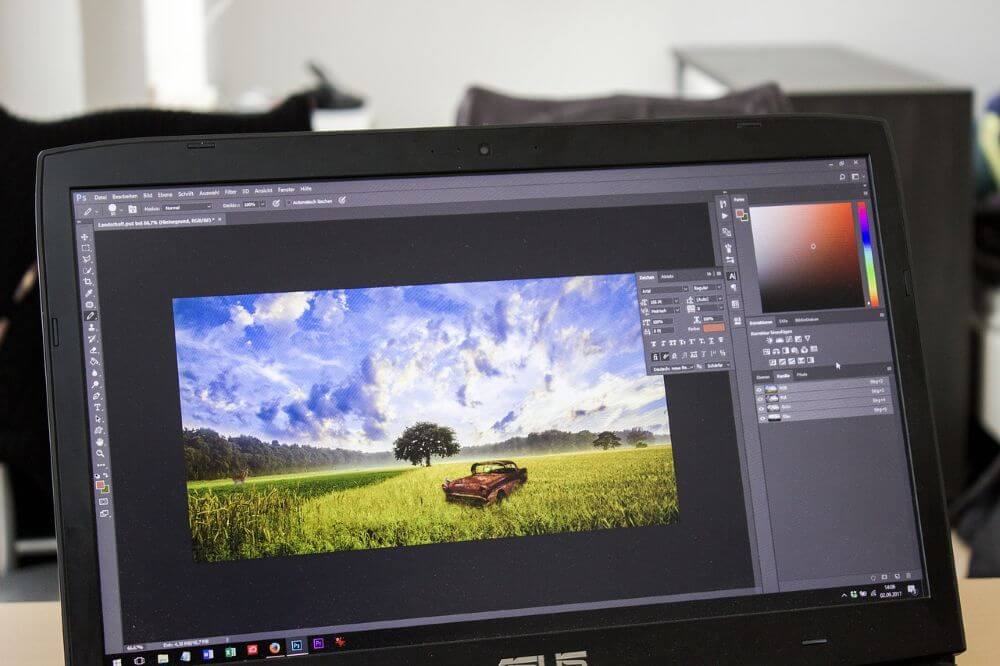
Photoshop: Has a modular interface that has been established for decades. Many functions are accessible through menus or separate windows (like Camera Raw).
Affinity Photo: The interface appears very similar at first glance (Layers panel on the right, Tools on the left), which makes switching easier.
- Unique concept: „Personas“. Affinity Photo divides its tools into five specialized workspaces („Personas“), between which you can seamlessly switch:
- Photo Persona: The main workspace for image editing (similar to standard Photoshop).
- Liquify Persona: A dedicated workspace for liquify effects.
- Develop Persona: A fully featured RAW developer (comparable to Adobe Camera Raw or Lightroom’s Develop module).
- Tone Mapping Persona: Specialized in creating HDR images from exposure brackets.
- Export Persona: Used for precisely cropping and exporting different „slices“ (sections) of your document in various formats.
3. Power and Performance
Affinity Photo: Known for its extremely high speed and efficiency. It was programmed from the ground up using modern code and makes very effective use of hardware (such as Metal on Mac or DirectX on Windows). Many changes, filters, and brush strokes are displayed in real time without delay, even with very large files.
Photoshop: Performance is good, but due to its decades-old codebase, it can sometimes feel slower, especially with complex operations.
4. Feature Set and AI Integration
Photoshop: As a 30+ year industry standard, Photoshop has an unparalleled feature set. It covers niche areas such as 3D editing (to a limited extent), video editing (basic timeline), and very complex scripting capabilities. The biggest difference currently is Adobe Sensei (AI): Features like „Generative Fill,“ „Select Subject,“ and „Neural Filters“ are extremely powerful in Photoshop and (so far) not available to the same extent in Affinity Photo.
- Affinity Photo: Covers an estimated 90-95% of the features most photographers and designers need on a daily basis. It excels in core competencies such as:
- Non-destructive editing (live filter layers, adjustment layers)
- Focus stacking (combining depth of field)
- Panorama stitching
- Comprehensive retouching tools
- Excellent brush engine
5. File Compatibility
- Affinity Photo: Opens, edits, and saves PSD (Photoshop) files very well. This facilitates collaboration with Photoshop users. However, compatibility is not 100% – very complex Smart Objects or specific Photoshop filters may not be imported correctly.
- Photoshop: Does not open Affinity files (.afphoto).
The switchover in practice – how does it work?
Switching from Photoshop to Affinity Photo is one of the easiest software transitions in the creative field.
1. The learning curve is shallow
If you’re familiar with Photoshop, you’ll feel right at home in Affinity Photo. Concepts like layers, masks, adjustment layers (corrections), blend modes, and layer styles are virtually identical. You basically just need to learn where the tools you already know are located.
2. Keyboard shortcuts
Many of the most common keyboard shortcuts are the same (e.g., V for Move, B for Brush). A major advantage: You can completely customize the keyboard shortcuts in Affinity Photo’s settings and even load a „Photoshop preset“ or manually recreate your own.
3. Import your existing resources
You don’t have to start from scratch. Affinity Photo can import many of your familiar Photoshop resources:
- Brushes: .abr files can be imported directly.
- LUTs: Color lookup tables (e.g., .cube) for color grading also work.
- Fonts: Managed by the operating system, they are available in both programs.
4. The Workflow
- Getting Started: You can simply open your old PSD files in Affinity Photo and continue working.
- Saving: For best compatibility and to retain all Affinity features (such as the non-destructive live filters), you should save new projects in the native .afphoto format. If you need to return a file to a Photoshop user, use the „Export“ function and select PSD.Learning Resources: Serif (the developer of Affinity) offers hundreds of free, high-quality video tutorials on its website and on YouTube. These are often only 2-5 minutes long and precisely demonstrate how to perform a specific task (e.g., „skin retouching“ or „sky replacement“).„`
Conclusion: For whom is the switch worthwhile?
The switch is especially worthwhile for:
- Freelancers, students, and hobbyists who want to save on the monthly subscription costs of Creative Cloud.
- Photographers and designers looking for a fast, modern workflow for the most common 95% of editing tasks.
- Anyone who works on an iPad (Affinity Photo for iPad is nearly identical to the desktop version and is considered more powerful than Photoshop for iPad).
Who should stick with Photoshop?
- Professionals in large agencies who rely on perfect compatibility and file sharing within their team.
- Users who rely heavily on the latest AI features (such as Generative Fill).
- Users who need very specific niche functions (e.g., complex video animations in Photoshop).

Beliebte Beiträge

Word-Formatierungen endlich im Griff – Tutorial
Verzweifeln Sie nicht an zerschossenen Word-Dokumenten! Dieser Leitfaden zeigt Ihnen, wie Sie hartnäckige Formatierungen löschen, Formatvorlagen richtig nutzen und Steuerzeichen lesen. So sparen Sie Zeit und Nerven bei der Textverarbeitung.

Passwort für Word- und Excel-Dateien vergessen: So retten Sie Ihre Daten
Ein vergessenes Passwort bei Word oder Excel ist ärgerlich, bedeutet aber nicht immer Datenverlust. Während sich Schreibschutz durch einen XML-Trick umgehen lässt, erfordern verschlüsselte Dateien spezielle Tools. Hier finden Sie alle Lösungen im Überblick.

Excel KI-Update: So nutzen Sie Python & Copilot
Vergessen Sie komplexe Formeln! Excel wird durch Python und den KI-Copilot zum intelligenten Analysten. Diese Anleitung zeigt konkrete Beispiele, wie Sie Heatmaps erstellen, Szenarien simulieren und Ihre Arbeit massiv beschleunigen. Machen Sie Ihre Tabellen fit für die Zukunft.

Der XVERWEIS: Der neue Standard für die Datensuche in Excel
Verabschieden Sie sich vom Spaltenzählen! Der XVERWEIS macht die Datensuche in Excel endlich intuitiv und sicher. Erfahren Sie in diesem Tutorial, wie die Funktion aufgebaut ist, wie Sie sie anwenden und warum sie dem SVERWEIS und WVERWEIS haushoch überlegen ist.

Nie wieder Adressen abtippen: So erstellen Sie Serienbriefe in Word
Müssen Sie hunderte Briefe versenden? Schluss mit manuellem Abtippen! Erfahren Sie, wie Sie in wenigen Minuten einen perfekten Serienbrief in Word erstellen. Von der sauberen Excel-Datenbank bis zum fertigen Druck – unser Guide führt Sie sicher durch den Prozess.

Warum dein Excel-Kurs Zeitverschwendung ist – was du wirklich lernen solltest!
Hand aufs Herz: Wann hast du zuletzt eine komplexe Excel-Formel ohne Googeln getippt? Eben. KI schreibt heute den Code für dich. Erfahre, warum klassische Excel-Trainings veraltet sind und welche 3 modernen Skills deinen Marktwert im Büro jetzt massiv steigern.
Angebote 2025/2026 in: Vorlagen