4K Fire TV Stick MAX with 40% more power
The streaming sticks from Amazon have been around since 2014 (USA) and also in Germany since 2015. And they are rightly one of the most popular streaming devices on the market. On the one hand, this is due to the fact that Amazon has a very powerful streaming service with Prime Video that does not need to hide behind competitors such as Netflix, Apple TV or Disney Plus.
In addition to some very good exclusive in-house productions, there are also plenty of international films and series. In addition to the top novelties that can be borrowed in addition to the offers available in the Prime Video subscription, Prime members also have the option of renting new films for € 0.99 once a month.
4K Fire TV Stick MAX with 40% more power
The streaming sticks from Amazon have been around since 2014 (USA) and also in Germany since 2015. And they are rightly one of the most popular streaming devices on the market. On the one hand, this is due to the fact that Amazon has a very powerful streaming service with Prime Video that does not need to hide behind competitors such as Netflix, Apple TV or Disney Plus.
In addition to some very good exclusive in-house productions, there are also plenty of international films and series. In addition to the top novelties that can be borrowed in addition to the offers available in the Prime Video subscription, Prime members also have the option of renting new films for € 0.99 once a month.
The next generation of Fire TV with Wi-Fi 6 and Dolby Vision
Fans are always waiting for the latest offshoots of Amazon’s own products and are excited to see what has happened again. This applies to both the in-house Kindle e-book readers, the echo devices and of course the streaming sticks.
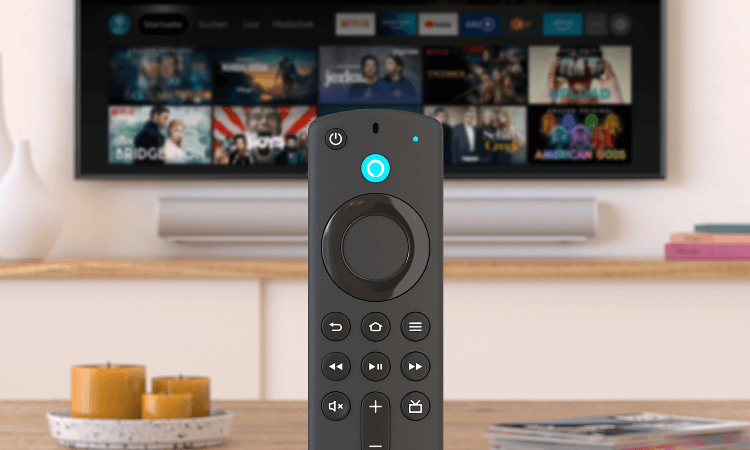
And with the latter, Amazon has also made a splash with the brand new offshoot: 4K Fire TV Stick MAX, and presents and again some good further developments. The 4K Fire TV Stick MAX comes on the market with HDR10 +, Dolby Vision and, in keeping with the times, also with Wi-Fi6 support. If you look at the stick and the remote control, you first see no difference to the Fire TV Stick with HD streaming, which is also very popular (because it is cheap).
The remote control also features the new quick access buttons for: Netflix, Prime Video, Disney Plus, and Amazon Music.
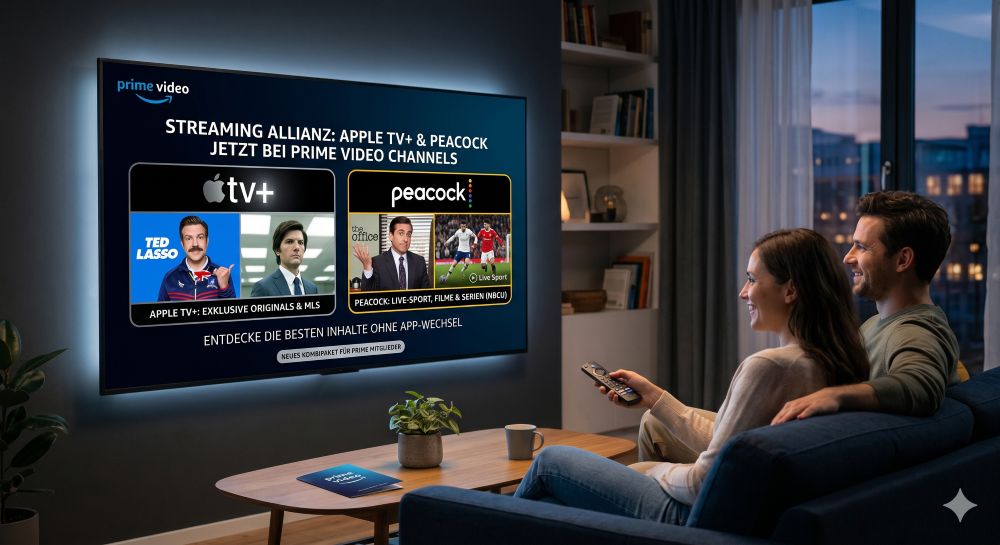
Here, by the way, it is already clear where the trend is going, or rather should go. Namely for a multi subscription for streaming services. Whether you need it now or not, everyone has to decide for themselves, but due to the splitting of content where certain films and series are only available on this or that service, you sometimes almost force you to do so.
And otherwise there are no external differences to be found. It is clearly the inner values that count. And they can definitely be seen:
- 4K streaming
- HDR10 +, Dolby Vision
- Wi-Fi6 support
- Picture-in-picture live video
- 2GB RAM instead of 1.5GB
- Dolby Atmos
- CPU: 1.8 GHz (quad core) instead of 1.7 GHz (quad core)
- GPU: 750 MHz instead of 650 MHz
All of this together makes up the advertised 40% more performance. Because such a device is only as powerful as the weakest component in the link. With the 4K Fire TV Stick MAX, Amazon has pretty much all the current standards on the market to be able to serve all those who already have a TV with Dolby Vision and a Wi-Fi 6 router.
The 4K Fire TV Stick MAX will be available from October 7, 2021 on Amazon. However, it can already be pre-ordered for € 64.99 and will be delivered punctually on the day of publication. As soon as the device is available, we will test the new streaming stick and report whether the advertising promises have really been kept.
The next generation of Fire TV with Wi-Fi 6 and Dolby Vision
Fans are always waiting for the latest offshoots of Amazon’s own products and are excited to see what has happened again. This applies to both the in-house Kindle e-book readers, the echo devices and of course the streaming sticks.
And with the latter, Amazon has also made a splash with the brand new offshoot: 4K Fire TV Stick MAX, and presents and again some good further developments. The 4K Fire TV Stick MAX comes on the market with HDR10 +, Dolby Vision and, in keeping with the times, also with Wi-Fi6 support. If you look at the stick and the remote control, you first see no difference to the Fire TV Stick with HD streaming, which is also very popular (because it is cheap).
The remote control also features the new quick access buttons for: Netflix, Prime Video, Disney Plus, and Amazon Music.
Here, by the way, it is already clear where the trend is going, or rather should go. Namely for a multi subscription for streaming services. Whether you need it now or not, everyone has to decide for themselves, but due to the splitting of content where certain films and series are only available on this or that service, you sometimes almost force you to do so.
And otherwise there are no external differences to be found. It is clearly the inner values that count. And they can definitely be seen:
- 4K streaming
- HDR10 +, Dolby Vision
- Wi-Fi6 support
- Picture-in-picture live video
- 2GB RAM instead of 1.5GB
- Dolby Atmos
- CPU: 1.8 GHz (quad core) instead of 1.7 GHz (quad core)
- GPU: 750 MHz instead of 650 MHz
All of this together makes up the advertised 40% more performance. Because such a device is only as powerful as the weakest component in the link. With the 4K Fire TV Stick MAX, Amazon has pretty much all the current standards on the market to be able to serve all those who already have a TV with Dolby Vision and a Wi-Fi 6 router.
The 4K Fire TV Stick MAX will be available from October 7, 2021 on Amazon. However, it can already be pre-ordered for € 64.99 and will be delivered punctually on the day of publication. As soon as the device is available, we will test the new streaming stick and report whether the advertising promises have really been kept.
Fire TV devices in comparison:
| Model: | Fire TV Stick Lite | Fire TV Stick | Fire TV Stick 4K | Fire TV Stick 4K MAX | Fire TV Cube |
|---|---|---|---|---|---|
| Features: | |||||
| Supports 1080p Full HD (1920×1080) | |||||
| Supports 4K Ultra HD (3840×2160) | |||||
| Supports Dolby Vision (HDR image for even brighter colors) | |||||
| Hands-free with Alexa | |||||
| Wi-Fi-6-Support | |||||
| Picture-in-picture live video | |||||
| Storage space | 8 GB | 8 GB | 8 GB | 8 GB | 16 GB |
| RAM | 1 GB | 1 GB | 1,5 GB | 2 GB | 2 GB |
| Audio support | HDMI passthrough for Dolby encoded audio | Dolby Atmos | Dolby Atmos | Dolby Atmos | Dolby Atmos |
| Quad-Core-Processor | CPU 1,7 GHz, GPU 650 MHz | CPU 1,7 GHz, GPU 650 MHz | CPU 1,7 GHz, GPU 650 MHz | CPU 1,8 GHz, GPU 750 MHz | Hexa-Core-Prozessor, 2,2 GHz + 1,9 GHz, 800-MHz-GPU |
| Watch Now | Watch Now | Watch Now | Watch Now | Watch Now |

Fire TV devices in comparison:
| Model: | Fire TV Stick Lite | Fire TV Stick | Fire TV Stick 4K | Fire TV Stick 4K MAX | Fire TV Cube |
|---|---|---|---|---|---|
| Features: | |||||
| Supports 1080p Full HD (1920×1080) | |||||
| Supports 4K Ultra HD (3840×2160) | |||||
| Supports Dolby Vision (HDR image for even brighter colors) | |||||
| Hands-free with Alexa | |||||
| Wi-Fi-6-Support | |||||
| Picture-in-picture live video | |||||
| Storage space | 8 GB | 8 GB | 8 GB | 8 GB | 16 GB |
| RAM | 1 GB | 1 GB | 1,5 GB | 2 GB | 2 GB |
| Audio support | HDMI passthrough for Dolby encoded audio | Dolby Atmos | Dolby Atmos | Dolby Atmos | Dolby Atmos |
| Quad-Core-Processor | CPU 1,7 GHz, GPU 650 MHz | CPU 1,7 GHz, GPU 650 MHz | CPU 1,7 GHz, GPU 650 MHz | CPU 1,8 GHz, GPU 750 MHz | Hexa-Core-Prozessor, 2,2 GHz + 1,9 GHz, 800-MHz-GPU |
| Watch Now | Watch Now | Watch Now | Watch Now | Watch Now |
Popular Posts:

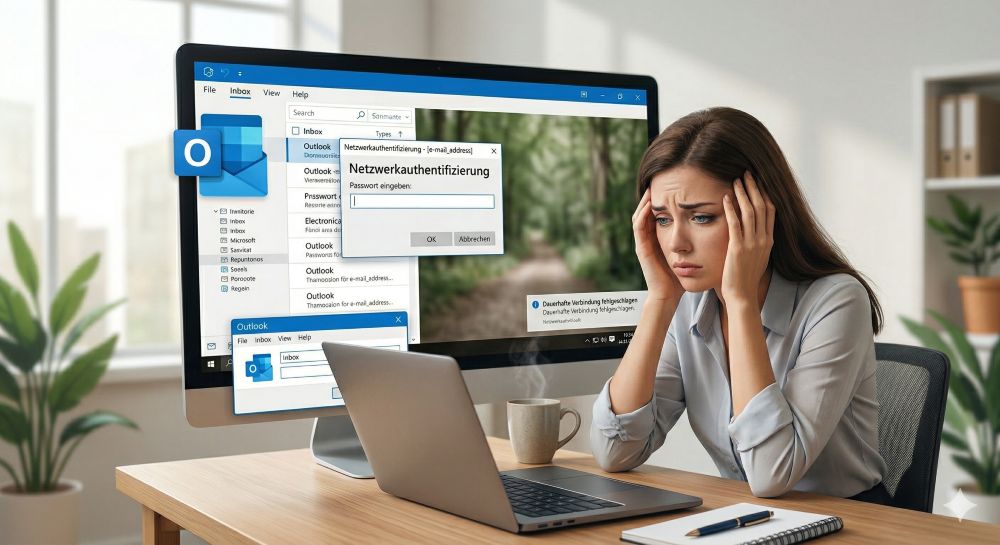
Outlook fragt ständig nach dem Passwort? So stoppen Sie die Dauerschleife
Wenn Outlook trotz gespeichertem Passwort ständig nach den Anmeldedaten fragt, blockiert das den E-Mail-Verkehr. Meist helfen das Löschen defekter Windows-Anmeldedaten oder neue App-Passwörter. Erfahren Sie hier, wie Sie das Problem mit wenigen Klicks dauerhaft lösen.
Mikrofon geht nicht in Teams, Zoom oder Meet?
Ein stummes Mikrofon im Meeting ist frustrierend. Oft sind kleine Hardware-Fehler, fehlende System-Rechte oder falsche App-Einstellungen schuld. Dieser Ratgeber liefert Ihnen systematische Schritt-für-Schritt-Lösungen, damit Sie in Teams, Zoom und Meet wieder gehört werden.

Der Drucker druckt nicht: Ursachen, Fehlerquellen und schnelle Lösungen
Ein streikender Drucker kostet Nerven, lässt sich aber meist schnell reparieren. In diesem Ratgeber zeigen wir dir Schritt für Schritt, wie du Papierstaus, WLAN-Abbrüche, Treiberfehler und leere Patronen erkennst und behebst, damit dein Gerät sofort wieder druckt.

Was tun, wenn Outlook nicht mehr startet oder abstürzt?
Wenn Microsoft Outlook plötzlich einfriert oder sich nicht öffnen lässt, ist schnelle Hilfe gefragt. In diesem Artikel zeigen wir Ihnen die effektivsten Lösungswege – vom abgesicherten Modus über die Office-Reparatur bis hin zum Reparieren beschädigter Datendateien.

Erste Hilfe: Wenn das Windows-Update hängt
Ein eingefrorenes Windows-Update ist ärgerlich, lässt sich aber meist schnell lösen. Dieser Ratgeber zeigt Ihnen, wie Sie mit Geduld, einem sicheren Neustart und Windows-Bordmitteln wie der Problembehandlung oder dem Leeren des Caches das System wieder zum Laufen bringen.

Reibungsloser Wechsel: Passwörter und Lesezeichen sicher umziehen
Der Wechsel auf einen neuen PC oder Browser ist schnell erledigt. Mit unserer Anleitung exportieren und importieren Sie Lesezeichen und Passwörter absolut sicher. Erfahren Sie, worauf Sie bei Chrome, Firefox und Edge achten müssen und warum ein Passwortmanager lohnt.
Angebote 2025/2026 in: Vorlagen











Popular Posts:
Outlook fragt ständig nach dem Passwort? So stoppen Sie die Dauerschleife
Wenn Outlook trotz gespeichertem Passwort ständig nach den Anmeldedaten fragt, blockiert das den E-Mail-Verkehr. Meist helfen das Löschen defekter Windows-Anmeldedaten oder neue App-Passwörter. Erfahren Sie hier, wie Sie das Problem mit wenigen Klicks dauerhaft lösen.
Mikrofon geht nicht in Teams, Zoom oder Meet?
Ein stummes Mikrofon im Meeting ist frustrierend. Oft sind kleine Hardware-Fehler, fehlende System-Rechte oder falsche App-Einstellungen schuld. Dieser Ratgeber liefert Ihnen systematische Schritt-für-Schritt-Lösungen, damit Sie in Teams, Zoom und Meet wieder gehört werden.
Der Drucker druckt nicht: Ursachen, Fehlerquellen und schnelle Lösungen
Ein streikender Drucker kostet Nerven, lässt sich aber meist schnell reparieren. In diesem Ratgeber zeigen wir dir Schritt für Schritt, wie du Papierstaus, WLAN-Abbrüche, Treiberfehler und leere Patronen erkennst und behebst, damit dein Gerät sofort wieder druckt.
Was tun, wenn Outlook nicht mehr startet oder abstürzt?
Wenn Microsoft Outlook plötzlich einfriert oder sich nicht öffnen lässt, ist schnelle Hilfe gefragt. In diesem Artikel zeigen wir Ihnen die effektivsten Lösungswege – vom abgesicherten Modus über die Office-Reparatur bis hin zum Reparieren beschädigter Datendateien.
Erste Hilfe: Wenn das Windows-Update hängt
Ein eingefrorenes Windows-Update ist ärgerlich, lässt sich aber meist schnell lösen. Dieser Ratgeber zeigt Ihnen, wie Sie mit Geduld, einem sicheren Neustart und Windows-Bordmitteln wie der Problembehandlung oder dem Leeren des Caches das System wieder zum Laufen bringen.
Reibungsloser Wechsel: Passwörter und Lesezeichen sicher umziehen
Der Wechsel auf einen neuen PC oder Browser ist schnell erledigt. Mit unserer Anleitung exportieren und importieren Sie Lesezeichen und Passwörter absolut sicher. Erfahren Sie, worauf Sie bei Chrome, Firefox und Edge achten müssen und warum ein Passwortmanager lohnt.
Angebote 2025/2026 in: Vorlagen